What is AI-Powered CNC Machining?
QUICK ANSWER
AI-powered CNC machining uses artificial intelligence and machine learning to make a CNC machine self-optimizing. Sensors stream live data on vibration, spindle load, temperature, and tool wear into algorithms that adjust feeds, speeds, and toolpaths in real time, predict failures before they happen, and inspect parts using computer vision.
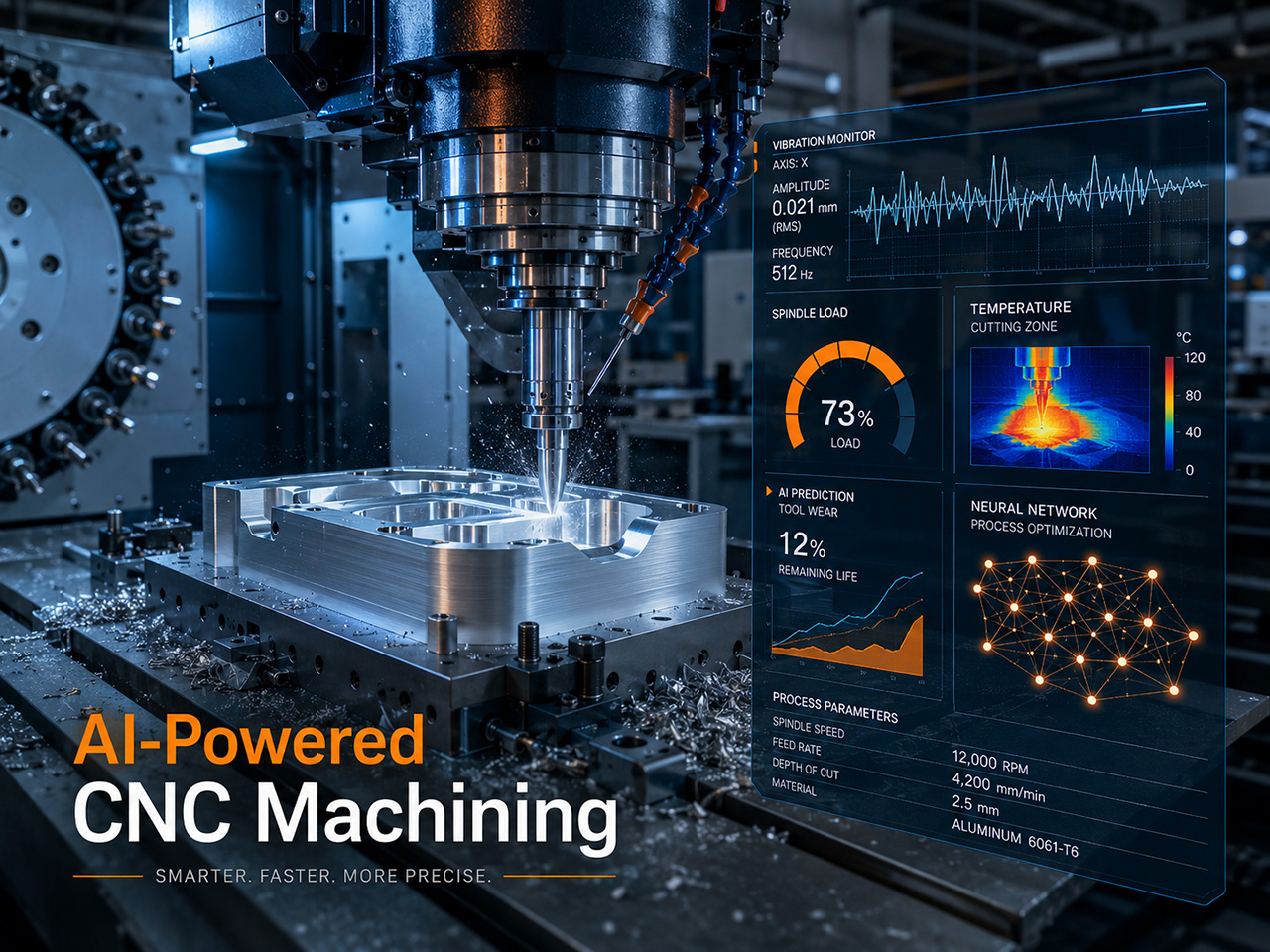
Traditional CNC machining is deterministic. The G-code dictates every move and the machine follows. AI-powered CNC machining adds a feedback layer on top. Sensors continuously measure what is happening at the cutting edge, machine learning models compare the readings to historical patterns, and the control system makes micro-adjustments to keep the cut in the optimal window. This blends three technology categories that used to be separate: real-time process control, computer-aided manufacturing, and quality inspection. The result is a machine that behaves less like a robot and more like an experienced machinist who never gets tired, never loses focus, and learns from every job.
The technology is mature enough that it is no longer a novelty in industrial CNC shops. AI assistance appears in CAM software like Autodesk Fusion 360 and Mastercam, in controllers from Siemens, Fanuc, and major Asian builders, and in stand-alone automation platforms aimed at quoting and programming workflows. The question for most shops is not whether to consider AI but where to apply it first.
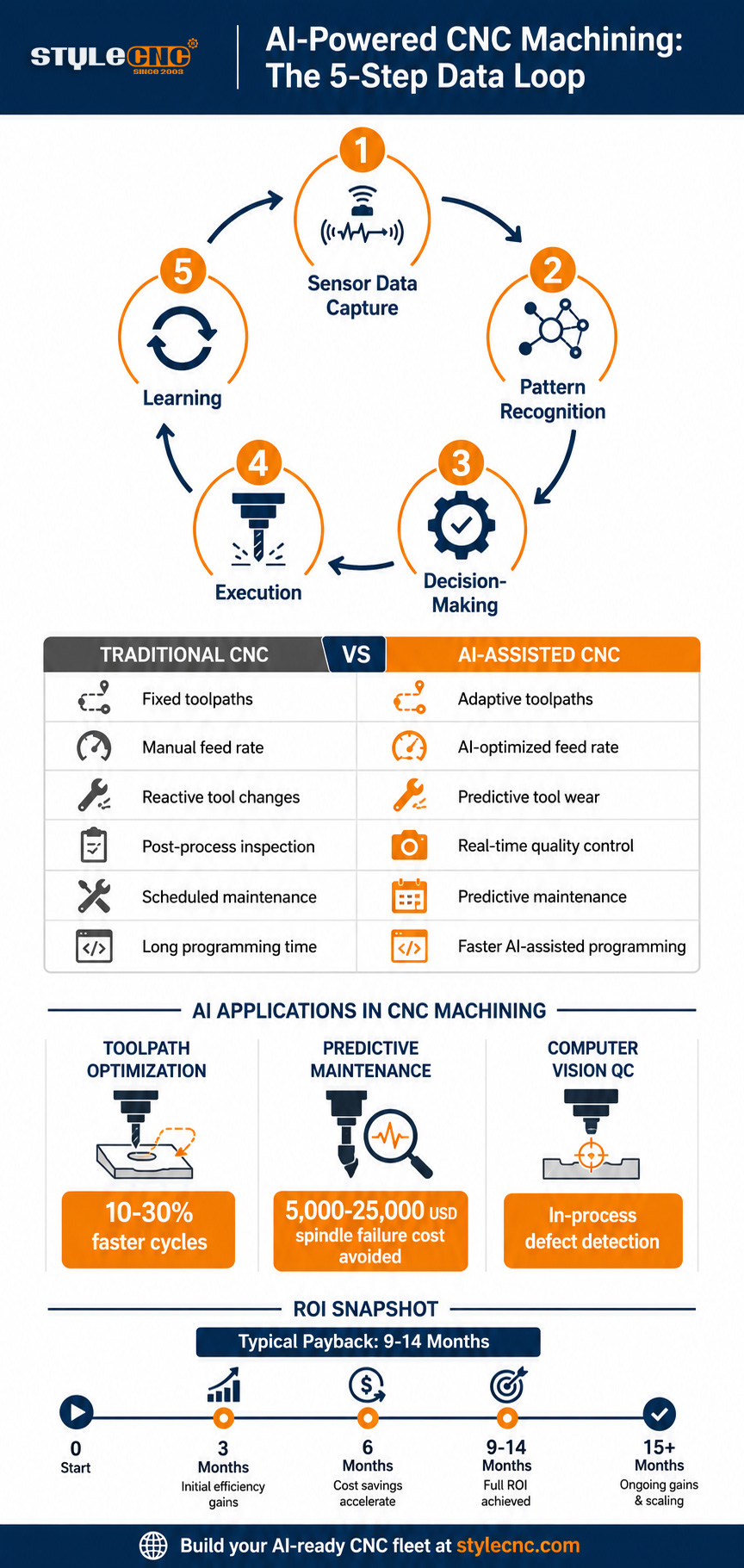
How AI Works in CNC Machining: The Five-Step Data Loop
AI-powered CNC machining follows a closed-loop process that repeats thousands of times per second during a cut:
1. Sensor data capture. Vibration sensors, spindle current monitors, acoustic emission probes, thermal cameras, and high-resolution optical cameras stream raw data from the machine into an edge processor.
2. Pattern recognition. Machine learning models compare the live signals against patterns from previous cycles. Spindle current creeping up while vibration spikes can indicate a dulling end mill; specific frequency signatures point to chatter.
3. Decision-making. The AI layer translates pattern recognition into action. It may slow the feed rate by 18 percent to reduce force, raise the spindle speed to break a chip, or pause the program for tool inspection.
4. Execution. The CNC controller applies the new parameters within milliseconds, often through standard machine override channels that already exist on industrial controllers.
5. Learning. Every cut, every adjustment, and every part outcome feeds back into the model. Over thousands of jobs, the system gets better at predicting what to do next.
This loop is what distinguishes AI machining from traditional automation. A standard CNC machine executes a fixed program. An AI-powered system executes, observes, adjusts, and learns. The difference is most visible on complex materials like titanium, hardened tool steel, and exotic alloys, where small variations in stock hardness or coolant flow can ruin a part or break a tool when feeds and speeds are static.
Traditional CNC vs AI-Assisted CNC: A Side-by-Side Comparison
The shift from traditional to AI-assisted CNC machining is rarely all-or-nothing. Most shops adopt AI in layers. The table below shows where the two approaches differ across the machining workflow.
| Factor | Traditional CNC Machining | AI-Assisted CNC Machining |
|---|---|---|
| Toolpath generation | Manual CAM with significant programmer time | Automated, optimized by ML on stock geometry and material |
| Feed rate control | Fixed by program from start to finish | Adaptive, adjusts to spindle load in real time |
| Tool wear detection | Operator inspection between cycles | Continuous monitoring via spindle current and vibration |
| Quality control | Post-process CMM or visual inspection | In-process computer vision and statistical process control |
| Maintenance approach | Scheduled intervals or reactive after failure | Predictive based on sensor pattern recognition |
| Programming time | Hours per complex part | Reduced 30 to 40 percent on average across the workflow |
| Operator skill demand | Heavy manual programming knowledge | Shifts toward oversight, tuning, and exception handling |
| Best fit | High-mix low-volume manual workflow | Production runs, complex geometry, lights-out cells |
Most shops start with adaptive feed rate control on existing machines and add CAD/CAM software features like automatic feature recognition before they invest in fully closed-loop quality systems. This staged approach matters because the older a machine is, the harder it is to retrofit with sensors. Mid-tier and new industrial CNC routers and laser cutters often ship with the sensor packages, network connectivity, and processor headroom needed to support AI software, which is one reason fleet age has become a strategic question for shop owners planning the next five years.
AI Toolpath Optimization: Adaptive Feeds, Speeds, and G-Code
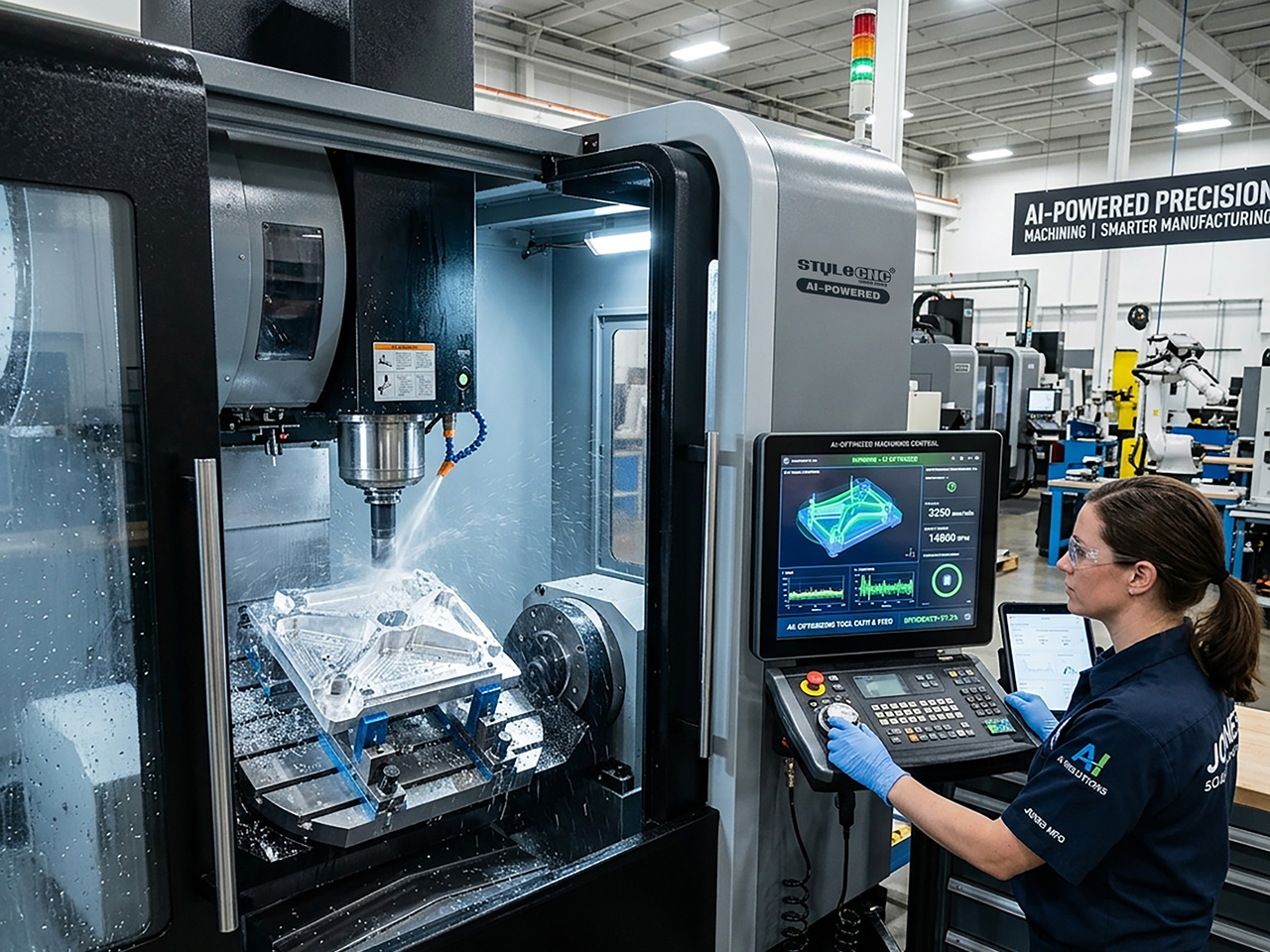
Toolpath optimization is the most mature AI use case in CNC machining and the one most operators meet first. The technology started with adaptive clearing and trochoidal milling toolpaths in CAM packages, where algorithms maintain a constant tool engagement angle instead of forcing the cutter into corners. AI adds a second layer of learning: rather than applying a fixed engagement target, the software trains on historical cuts from the same material and machine combination and recommends parameter sets that previously produced clean parts.
In practical terms, modern AI-driven CAM platforms can:
✓ Reduce cycle times by 10 to 30 percent on average by removing unnecessary tool retractions and air cuts.
✓ Extend tool life by up to 40 percent through constant chip load and reduced peak cutting forces.
✓ Generate full toolpath sequences from a CAD model with minimal programmer input.
✓ Adjust feed rates dynamically based on real-time spindle load during the cut.
✓ Select cutting strategies that match part geometry, including adaptive clearing and rest machining.
On a Practical Machinist thread about AI CAM software, working machinists noted that the most useful AI features so far are automatic feature recognition, learning user habits to suggest next steps, and predicting parameters for tools and materials the shop has already used. The same thread surfaced a fair caution: AI does not replace deep practical experience, and operators who trust adaptive systems blindly can miss the moment when the software is compensating for a real setup problem.
This is why most AI-assisted CAM workflows still route through a programmer who reviews the toolpath, signs off on it, and posts the G-code to the machine. The role shifts from manual generation to verification, which is faster but still skilled. CNCZone threads on toolpath optimization for machines like Biesse Rovers consistently report that automated path generation gives good results for most jobs but benefits from manual review on complex nested layouts where the algorithm may zigzag unnecessarily between drilling clusters.
Predictive Maintenance and Computer Vision Quality Control
The second major AI application is everything that happens around the cut: keeping the machine healthy and inspecting the parts that come off it.
Predictive maintenance uses the same sensor stack that feeds adaptive control. Spindle vibration spectrums, motor current curves, and temperature trends are compared against the patterns that preceded past failures. When the model sees a similar pattern building, it flags the issue days or weeks before the machine would actually fail. For shops running into recurring CNC router problems and downtime, this is where the most measurable savings often appear, since unplanned spindle failure on an industrial machine can cost 5,000 to 25,000 USD in repair plus lost production time. Bearings, ball screws, linear guides, and spindles all show predictive signatures before catastrophic failure.
Computer vision quality control points high-resolution cameras at the part or the cutting zone and runs the image stream through trained neural networks. The system can detect surface defects, dimensional drift, missed features, and tool marks while the part is still on the machine. When a defect is detected, the controller can pause the program, re-cut the feature, or scrap the part and start over before more material is wasted. MoldMaking Technology has documented closed-loop workflows where inspection data from CMMs feeds back into the next machining cycle automatically, supporting what the industry calls shift-left quality control.
For panel furniture lines and ATC router cells where parts are nested and cut at high volume, in-process vision inspection scales well because the cameras can be permanently mounted and trained once on the shop's specific products. The marginal cost per part inspected approaches zero after the initial setup, which is exactly where AI economics shine.
AI-Assisted CAM Software: The Current Landscape
The CAM software market has reorganized around AI faster than most CNC users expected. Three categories now exist.
General-purpose CAM platforms with AI features include Autodesk Fusion 360, Mastercam, HyperMill MAXX, Siemens NX CAM, and ESPRIT. These tools embed machine learning into specific operations like adaptive roughing, collision avoidance, and feature recognition, while keeping the traditional CAM workflow that programmers know.
AI-native automation platforms like Toolpath and CloudNC focus on automating the path from RFQ to G-code. These platforms aim to compress quoting, design-for-manufacturing review, and CAM programming into a single workflow driven by AI suggestions. Mold and die shops have led adoption since complex mold designs benefit most from automated feature recognition.
Embedded AI in controllers is the newest category. Siemens Sinumerik One, Fanuc iHMI, and emerging firmware updates from desktop CNC builders are putting machine learning directly into the controller, so adaptive control works even when the CAM software does not support it. For shops still using Mach3 CNC controller software or older Weihong Ncstudio installations, the practical path is usually to upgrade CAM first and the controller second.
A useful starting point for evaluation is the CNC programming software list, which lays out the landscape of CAM tools by capability and use case. From there, the buying questions become specific: which materials does the AI model already know, how many post-processors come pre-tested, what does the subscription cost over five years, and how much retraining will the shop's programmers need.
On cost, real-world numbers reported in Practical Machinist and Hobby-Machinist CAM software pricing threads sit between 600 USD per year for basic packages and 3,000 to 12,000 USD per seat per year for the major AI-enhanced CAM platforms, with discounts available for hobbyist and educational use. The ROI math is usually framed around programming time saved. A shop billing programmer hours at 75 USD that recovers 6 hours per week through AI assistance covers a 3,000 USD subscription in roughly 7 weeks.
The Business Case: ROI, Cost, and Adoption for CNC Shops
The most common question shop owners ask is whether AI is worth it for their shop specifically. The answer depends on volume, mix, and machine age.
AI-powered CNC machining produces the highest ROI in three scenarios:
✓ High-volume production where small cycle time gains compound across thousands of parts.
✓ Complex geometry on expensive materials where tool breakage or scrap is costly.
✓ Lights-out or near-lights-out operation where the machine runs unattended and needs to make its own decisions.
For low-volume custom work where every job is different, the AI advantage shrinks. The model needs data to learn from, and a one-off prototype gives it little to work with. This is partly why many job shops adopt AI in their CAM software first, where it helps with programming time, and only later in their controllers, where it helps with execution.
Sample payback periods reported by CAM vendors and mold shops cluster around 9 to 14 months. The investment includes software licenses, sensor retrofits where needed, training time for programmers and operators, and ongoing subscription costs. Against this, shops typically count time saved on programming, reduced scrap, longer tool life, and fewer unplanned machine stops.
The often-overlooked cost is workforce adaptation. Programmers who have spent twenty years writing toolpaths by hand sometimes resist AI suggestions out of professional pride or because the AI got it wrong on the first job. Shops that succeed with AI tend to involve their best programmers in tuning the system rather than imposing it on them, which converts experience into training data rather than discarding it.
STYLECNC Hardware: ATC Routers and Panel Furniture Lines as AI-Ready Platforms
The hardware side of AI-powered CNC machining matters more than software vendors usually admit. AI software cannot adjust a feed rate the machine cannot execute, cannot read vibration data without the sensors, and cannot run lights-out without an automatic tool changer. The machine has to be capable of the response the AI wants to make.
STYLECNC builds its industrial product lines with this layered capability in mind. The ATC CNC router category covers linear and carousel automatic tool changers across woodworking, aluminum, and 3D milling configurations. The automatic tool changer is the foundation for any AI scheduling logic that needs to plan tool sequences across multiple operations without operator intervention. Without it, AI optimization is constrained to whatever a single tool can do.
The intelligent panel furniture production line shows what a fully integrated AI-ready cell looks like in practice. The line includes automatic loading, nesting CAM, ATC routing, edge banding, and labeling, with sensors and barcodes tracking every panel through the workflow. Once the data pipes are in place, layering AI-driven scheduling or predictive maintenance on top is a software upgrade rather than a hardware overhaul.
For shops planning a multi-year AI roadmap, the practical sequence is usually hardware first, software second. Buying a machine with the sensor headers, network connectivity, and ATC capacity to support AI later is significantly cheaper than retrofitting an older machine after the fact. Reviewing common CNC router spindle failures and the sensor coverage of a candidate machine before purchase is the kind of due diligence that pays off when AI predictive maintenance becomes a budget line item three years later.
Glossary: Key Entities in AI-Powered CNC Machining
Use this glossary as a quick reference when evaluating AI CAM platforms or AI-ready CNC hardware.
| Term | Definition |
|---|---|
| Adaptive control | Real-time adjustment of feed rate, spindle speed, or depth of cut based on sensor feedback during machining. |
| Toolpath optimization | Algorithmic refinement of cutter movement to minimize cycle time, tool wear, and surface defects. |
| Predictive maintenance | Forecasting machine component failure based on sensor pattern recognition before the failure occurs. |
| Computer vision QC | Camera-based inspection of parts using neural networks to detect defects, dimensions, and finish. |
| Machine learning model | Algorithm trained on historical machining data that improves its predictions over time. |
| Digital twin | Virtual replica of a physical machine used to simulate, test, and optimize cycles before they run on metal. |
| Edge computing | On-machine processor that runs AI inference locally without relying on cloud connectivity. |
| Closed-loop machining | Workflow where inspection results feed back into machining parameters automatically. |
| Feature recognition | CAM software capability that identifies geometric features in a CAD model and assigns appropriate operations. |
| Adaptive clearing | Roughing toolpath strategy that maintains constant cutter engagement, often AI-enhanced. |
Frequently Asked Questions
Does AI replace CNC machinists and CAM programmers?
No. Discussions on the Practical Machinist "AI CAM whats out there" thread and broader industry consensus point to AI augmenting rather than replacing skilled operators. CAM programmers transition toward reviewing AI-generated toolpaths and tuning the system. Machinists still handle fixturing, setup, exception handling, and the judgment calls that AI cannot make from sensor data alone. The shift is in skill mix, not headcount, and shops that involve experienced programmers in AI rollout see the smoothest transitions.
What is the typical ROI on AI-powered CAM software for a small shop?
Hobby-Machinist and Practical Machinist threads on CAM software pricing put real-world subscriptions between 600 USD per year for basic packages and 3,000 to 12,000 USD per seat per year for AI-enhanced platforms. Shops typically recover the cost within 8 to 14 months through reduced programming time, lower scrap rates, and longer tool life. The math is most favorable for shops running production volume or complex geometry where small per-part gains compound.
Can AI adaptive feed rate damage my CNC machine?
The Practical Machinist adaptive feedrate discussion thread covers this concern directly. Adaptive control reads spindle load, vibration, and current and adjusts feed inside pre-set limits. Properly configured, it protects the machine by reducing force when conditions get harsh. The risk is using AI to mask a real problem like a dull tool or a bad fixture. Experienced operators stress the importance of sanity-checking what the system is doing rather than trusting it blindly.
How does AI improve toolpath optimization compared to traditional CAM?
CNCZone toolpath optimization threads and CAM vendor documentation describe several improvements: removing unnecessary tool retractions and zigzag patterns, selecting cutting strategies that match the part geometry, maintaining constant engagement during roughing, and choosing tool order to minimize tool changes. Reported gains include 10 to 30 percent shorter cycle times and 40 percent longer tool life on average, with the largest gains on complex 3D parts and nested production runs.
What sensors do I need to add AI to an existing CNC machine?
Practical Machinist contributors and CAM vendors agree that the minimum sensor stack is spindle current monitoring, vibration accelerometers on the spindle housing, and temperature probes on the main motor and bearings. For computer vision quality control, add a high-resolution camera mounted in the work zone. Many newer machines ship with these sensors installed. Older machines can usually accept retrofits, though calibration takes time and the data must connect to a controller or edge processor capable of running AI inference.
Is AI useful for mold and die machining?
MoldMaking Technology has reported repeatedly on AI adoption in mold shops, including Siemens Sinumerik One digital twin integration and platforms like Atomic Industries that automate mold design and CAM programming. Mold work benefits especially because complex cavities, expensive tool steel, and tight tolerances reward every cycle-time reduction and every avoided tool break. Closed-loop inspection workflows where CMM data feeds back into machining are now production-deployed in mold shops worldwide.
STYLECNC industrial CNC routers, panel furniture production lines, and ATC machining centers are engineered as AI-ready hardware platforms. Contact the STYLECNC team for an assessment of which configuration best matches your production volume, material mix, and AI roadmap, or review the CAD/CAM software catalog and CNC programming software list to map your software stack against AI-ready hardware before your next equipment investment.