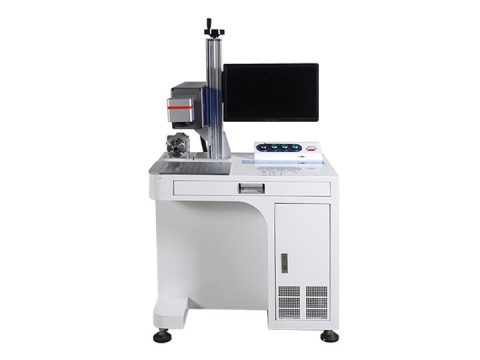
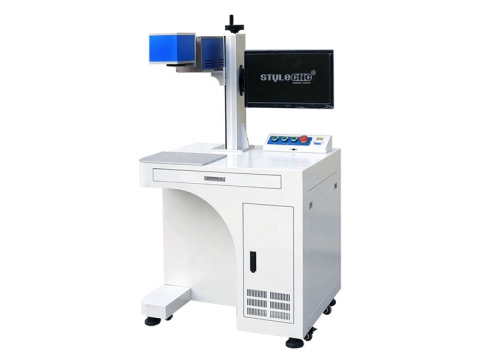
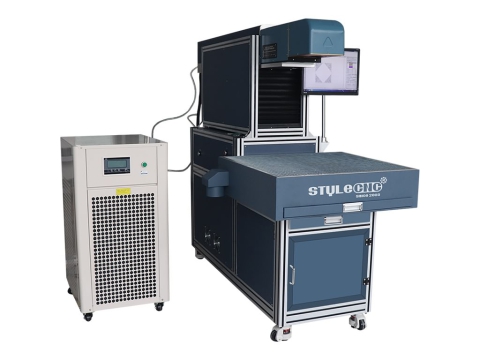
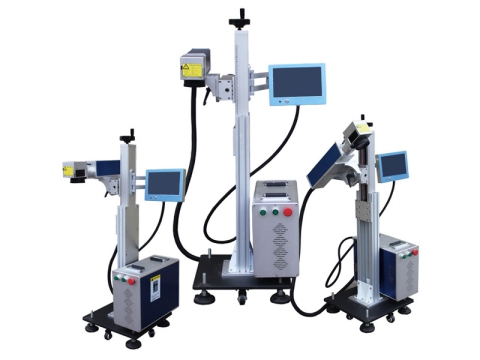
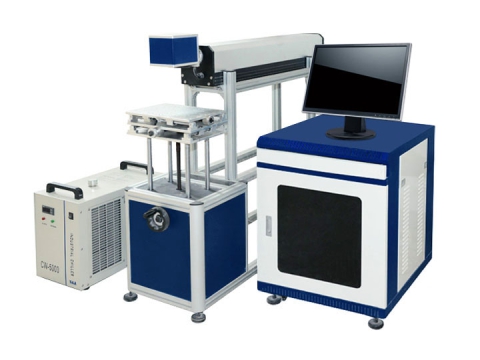
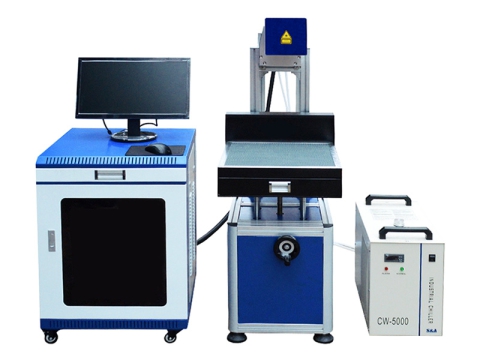
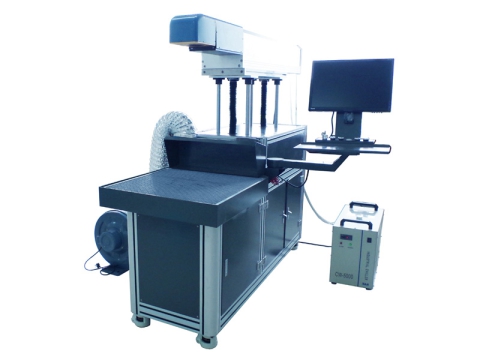
When you understand the things CO2 laser marking systems can perform, you can get pretty excited about investing in your own markers. Although they are no longer the sole marking tools of hobbyists and commercial users. But they are still powerful because of the many projects you can get to engrave with them, such as personalized gifts, crafts, smartphone cases, cups, mugs, and an endless list of things.
As business needs grow, laser technology continues to upgrade and prices continue to drop.
There are different models of CO2 laser markers, and they vary according to features, table sizes and laser powers. This guide will help you learn things you should know before buying.
The purpose of this guide is to make the buying process as easy as possible. It will help you make a more informed decision before investing.
In this guide you will learn that what is a CO2 laser marking machine, how does it work? what is it used for? how to buy it? how to use it? how to maintain it? how to do troubleshooting? Keep reading to find out the best one to meet your needs and budget.
Definition
CO2 laser marking machine is an automatic fine laser engraving system that uses a gas laser with a wavelength of 10.64 μm to permanently mark graphics and texts on the 2D/3D surface of non-metallic materials, as well as uses a higher power CO2 RF laser tube to precisely cut out personalized greeting cards, invitation cards and Christmas cards with paper, cardstock and cardboard.
Applications
A carbon dioxide laser can mark wood, plywood, MDF, bamboo, leather, fabric, paper, rubber, PMMA, ABS, PVC epoxy resin, plastic, acrylic, glass, architectural ceramics, and organic materials. It can also cut some paper products.
It is used in some products and industries that require more precise and accurate such as medicine, watches, glasses, instrumentation, clothing, bags, shoes, buttons, glass products, beverages, cosmetics, food and beverage packaging industries, textile industry, handicraft supplying industry, printing industry, as well as manufacturing industries for electronic components and communication products.
Working Principle
It is a gas laser based on a carbon dioxide gas mixture with a wavelength of 10.6 micrometers, it has a relatively high efficiency and feature a very good beam quality.
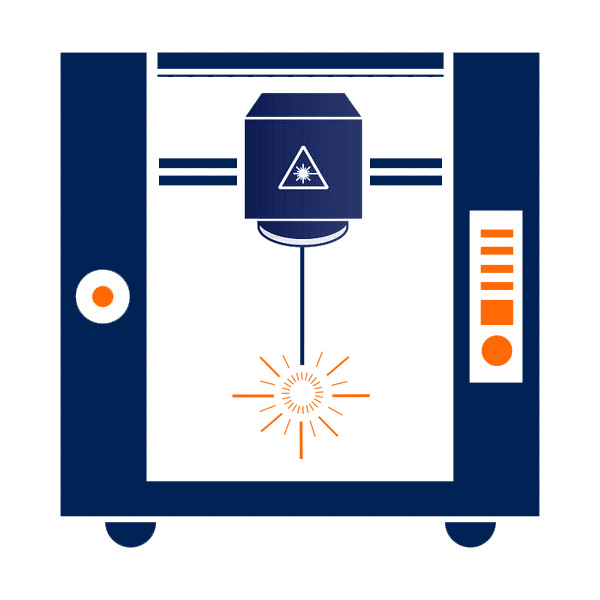
It uses carbon dioxide gas as the medium to amplify the laser energy to generate a high-energy beam, and uses a computer to control the vibrating mirror to change the optical path to the material, and then converts the light energy into heat energy instantly, so that the surface of the material is instantly melted or even gasified, thus forming a mark .
Specifications
| Brand | STYLECNC |
| Model | Handheld series, Portable series, Mini series, 3D series, Desktop series, Flying series |
| Laser Power | 20W, 30W, 60W, 80W, 100W, 130W, 150W, 200W, 300W |
| Price Range | $4,500.00 - $70,000.00 |
| Laser Source | CO2 laser |
| Laser Wavelength | 10.6 μm |
Features
✓ High precision, fast speed, controllable marking depth, long continuous working time, maintenance-free.
✓ The carbon dioxide radio frequency laser adopts the rear focus method, the optical system can be lifted and moved freely, and the service life is as long as 45,000 hours.
✓ Dedicated industrial control computer, strong anti-interference ability, strong adaptability, stable operation, can help you achieve 24-hour continuous and stable operation.
✓ The red light positioning system is used to make the processing positioning more accurate and avoid waste.
✓ Compatible with commonly used image formats (bmp, jpg, gif, tga, png, tif), and commonly used vector graphics (ai, dxf, dst, plt). Commonly used image processing functions (grayscale conversion, black-and-white image conversion, dot processing) can process 256-level grayscale images.
✓ A variety of control objects, users can freely control the interaction between the system and external devices.
✓ Easily support multiple languages.
Pros & Cons
Pros
✅ Non-contact processing is adopted without damaging the workpiece.
✅ The depth of engraving can be controlled at will, the processing cost is low, no consumables are needed, and it is controlled by the computer system.
✅ The marking software is powerful and compatible with the files of Coreldraw, AutoCAD, Photoshop and other software.
✅ Support automatic coding, printing serial number, batch number, date, barcode, two-dimensional code, automatic skip number.
✅ Support flying marking, rotating marking, large-area XY platform automatic split marking.
✅ The mark is clear, permanent and indelible, beautiful, and can be effectively anti-counterfeiting, with long service life and no pollution.
✅ Good directivity and controllability, stable monochromatic frequency, low gas density and low output density.
✅ Good beam mode, stable system performance, maintenance-free, fast marking speed, good effect and high efficiency, which can fully meet the mass production needs of customers.
Cons
It has certain limitations in the marking materials, and it cannot engrave metals.
The laser can burn human skin and cause direct damage to the retina of the eyes, so you must wear safety glasses and goggles during the operation.
Pricing Guide
The average CO2 laser marker costs around $6,000. The cheapest entry-level CO2 laser marking tools start at about $4,000, while the high-end CO2 laser marking machines can cost as expensive as $70,000.
The price for industrial marking systems is a lot more than for hobby markers. This is because the industrial manufacturers tend to invest in higher-quality options for commercial use, while the hobbyists just play with them for home use or small shop.
If you want to know how much does it cost, you need to ask yourself some questions. What are you buying it for? What is your budget plan? Which model is right for you within your budget?
How To Use?
Check the waterway and circuit before turning on the machine. The boot sequence is:
Step 1. Turn on the incoming line power and turn on the key switch. At this time, the machine's air extraction and refrigeration system are energized, and the ammeter shows a value of about 7A.
Step 2. Wait for 5 to 10 seconds, press the trigger button on the external control panel, the ammeter displays a value of zero, after 3 to 5 seconds, the krypton lamp is ignited, and the ammeter displays a value of 7A. (Refer to the operation manual of laser power supply).
Step 3. Turn on the power supply of the galvanometer.
Step 4. Turn on the computer and call up the required marking file.
Step 5. Adjust the power to the working current (10~18A), and then you can start marking.
After marking, turn off the power of each component in the reverse direction according to the above sequence:
Step 1. Adjust the working current of the power supply to the minimum (about 7A).
Step 2. Turn off the computer.
Step 3. Turn off the power of the galvanometer.
Step 4. Press the stop button.
Step 5. Turn off the key switch.
Step 6. Disconnect incoming power.
How To Maintain?
In order for the machine to work smoothly, the daily maintenance is indispensable. As long as the parts are not damaged, we can maintain it by ourselves. Here are some tips for care and maintenance.
Components that require daily maintenance: vibrating mirrors, lasers, power lines, and lifting guide rails.
🛠️ The first is the galvanometer. There are two motors in the vibrating mirror that control the laser circuit, one is in the direction of the x-axis and the other is in the direction of the y-axis. There are magnetic components in the motor, and there are two lenses that cooperate with the motor to reflect the laser. Therefore, the vibrating mirror needs to be kept away from strong magnetism, strong Electricity, strong shock current items, avoid touching the galvanometer with hands and items. If the lens is dusty, you can use a rag and a small amount of alcohol to clean it, and wipe it in one direction.
🛠️ The laser generates light beams, so it needs to dissipate heat. Regularly clean the dust. Use an air gun to blow along the direction of the air duct. At the same time, clean the relevant circuit boards to avoid burning out due to poor heat dissipation of the machine. The air gun is a good tool and can also clean the laser with cold water. machine.
🛠️ Check whether the grounding of the equipment is reliable, and the power cord and plug are intact to avoid leakage accidents.
🛠️ The guide rail for adjusting the focus of the machine is often used, so it is necessary to add lubricating oil and do a good job of sanitation once a month to avoid guide rail jamming and inaccurate focus. Regularly check whether the equipment fan is normal. The fan is used to dissipate heat. To ensure smooth rotation.
In addition, it is necessary to develop good usage habits when using the machine. Before use, check whether the software settings have changed, and whether the function buttons and indicators are normal. After use, clean the surface of the workbench, monitor, and keyboard with a clean rag, and remove the garbage in time, especially the residue or powder after marking, clean the surrounding sanitation, and keep it ventilated.
Note: When shutting down, please turn off the laser power first and then close the marking software, otherwise it will damage the life of the laser.
If the machine uses water-cooling equipment, it is necessary to replace the circulating water and clean the water tank. Clean it once a week and replace the water inside. If the circulating water inside is too long, it is not good for the machine. The water quality and temperature of the circulating water will directly affect the service life of the laser tube. It is recommended to use pure water or distilled water, and keep the water temperature below 35°C.
Troubleshooting
⛔ Abnormal light emission and heat in the light-guiding joints.
It is common that the light guide joint is loose and the tube is not installed properly.
Inspection: Same light correction.
Solution: Replace or adjust the light guide section and correct the light path.
⛔ The laser power drops.
It is common in tube aging.
Inspection: Use a multimeter to check the voltage regulator, and use a high-voltage meter to check the working voltage of the tube.
Solution: Replace the aging tube and replace the damaged components.
⛔ The indication of the voltmeter is common when there is an open circuit in the power supply line. Poor contact with foot switch or manual switch.
Inspection: Measure with a multimeter.
Solution: Repair or replace.
⛔ The voltmeter has no indication.
Frequently, the fuse is broken, or the circuit is open.
Inspection: Measure with a multimeter.
Solution: Replace the fuse, or connect the circuit.
⛔ The power indicator does not light up.
Commonly, the fuse is broken, the incoming wire is in poor contact, the indicator light circuit is bad or the indicator light is broken.
Inspection: Check the fuse, check the power supply line, and check the indicator circuit.
Solution: Replace the fuse, repair the wire and replace the indicator light.
⛔ Continuous burning of the fuse is usually caused by a short circuit in the machine and serious dirt in the machine.
Inspection: Check the wire level by level, mostly because the high voltage part has a short circuit.
Solution: Repair the short circuit and remove the dirt.
⛔ There is discharge sound or arc light in the machine. There is usually dust, water or air humidity and corrosive gas in the machine.
Inspection: Observe the discharge point in a dark place.
Solution: Remove dust, water, and change the working environment.
⛔ The laser output is unstable.
It is common in the machine where there is poor contact, and there are slight intermittent short-circuit points in the machine.
Inspection: Check the line level by level.
Solution: Replace the wire, re-weld the wire end, and clean it.
One Beam, Four Different Reactions
A CO2 beam does not mark everything the same way, and knowing the mechanism explains the settings. On wood, leather, and card it chars the surface, so contrast comes from burning rather than colour change, which is why a wood marking machine runs gently to avoid soot. Glass and ceramic are different again: the beam micro-fractures the surface to leave a white frosted mark, and covering the glass with a damp cloth or wet paper before marking spreads the heat and prevents the flaking that ruins an otherwise clean job. On fabric and leather the trick is restraint, since a leather and fabric marker only needs to darken fibres, not cut them. Produce is the surprising one: the beam lifts just the pigment from the skin, so a fruit and coconut marker prints a brand onto an avocado or coconut without breaking the surface, replacing stickers entirely.
Metal Is Possible, With Help
The page is right that a CO2 laser cannot engrave bare metal, and it is worth adding the useful exception. Coated metals mark beautifully, because the beam removes paint, powder coat, or anodising to reveal the bright metal underneath, which covers most branded panels and tools. For uncoated metal, a marking compound painted on the surface bonds under the beam and leaves a permanent black mark once the excess is washed off. Neither method cuts into the metal, so both suit labels, logos, and serial numbers rather than deep marks, and the compound adds a consumable cost and a washing step to every part. If bare metal is your everyday work, a fiber marker remains the right tool; if it is occasional, these workarounds save buying a second machine.
Glass Tube or RF Source?
Half the machines on this page use a sealed glass tube and half use a radio frequency metal tube, and the difference shows in the mark. RF sources switch far faster and focus to a smaller spot, giving crisper small text and quicker cycles, and they last far longer, which is why a Synrad RF marker costs more than a glass-tube equivalent of the same wattage. Glass tubes are cheaper to buy and to replace, and perfectly good for craft work, gifts, and larger graphics where a fraction of a millimetre makes no difference. Decide by how fine your marks are and how many hours a week the machine will run, then compare prices within that group rather than across the whole page. A desktop glass and plastic marker is a sensible starting point for varied craft and gift work, where absolute cycle speed matters less than flexibility.
What happens on each surface:
| Material | What the Beam Does | The Mark You Get |
|---|
| Wood and leather | Chars the surface | Warm brown to near black |
| Glass and ceramic | Micro-fractures the surface | White frosted finish |
| Coated or painted metal | Removes the coating | Bright metal showing through |
| Fruit and produce skin | Removes pigment only | Contrasting label, skin intact |
CO2 marking checklist:
✅ Match settings to how each material reacts.
✅ Damp the surface when frosting glass.
✅ Use coatings or spray for bare metal marks.
✅ Choose an RF source for fine, fast production marks.
✅ Extract smoke when marking organics.