A correctly installed laser marking machine represents a solid foundation for obtaining high productivity and long service, whatever the application may be, whether it is on an initial installation or merely on a system re-configuration due to a different location in the workspace.
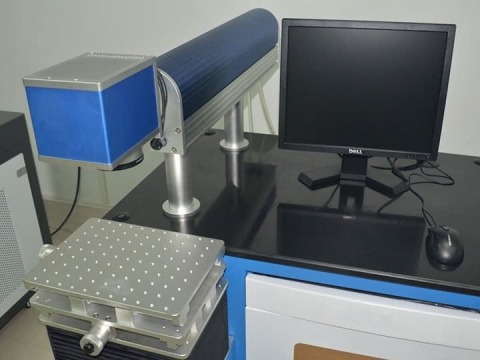
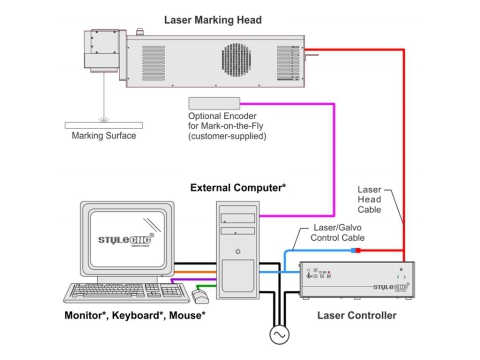
Every laser marking machine will consist of a laser controller, a marking head, a computer system, and the cables that connect them together. Each element must be arranged with care and attached fast for safety and precision of work. Besides proper setting alignment, sufficient ventilation shall also be provided to avoid heating-up and ensure constant quality of the marking.
It would also include cable connections and calibration procedures as per the manufacturer's instructions for installation. A proper setup takes time, but it offers you a long life with a machine that can provide very professional and precise results for your marking projects.
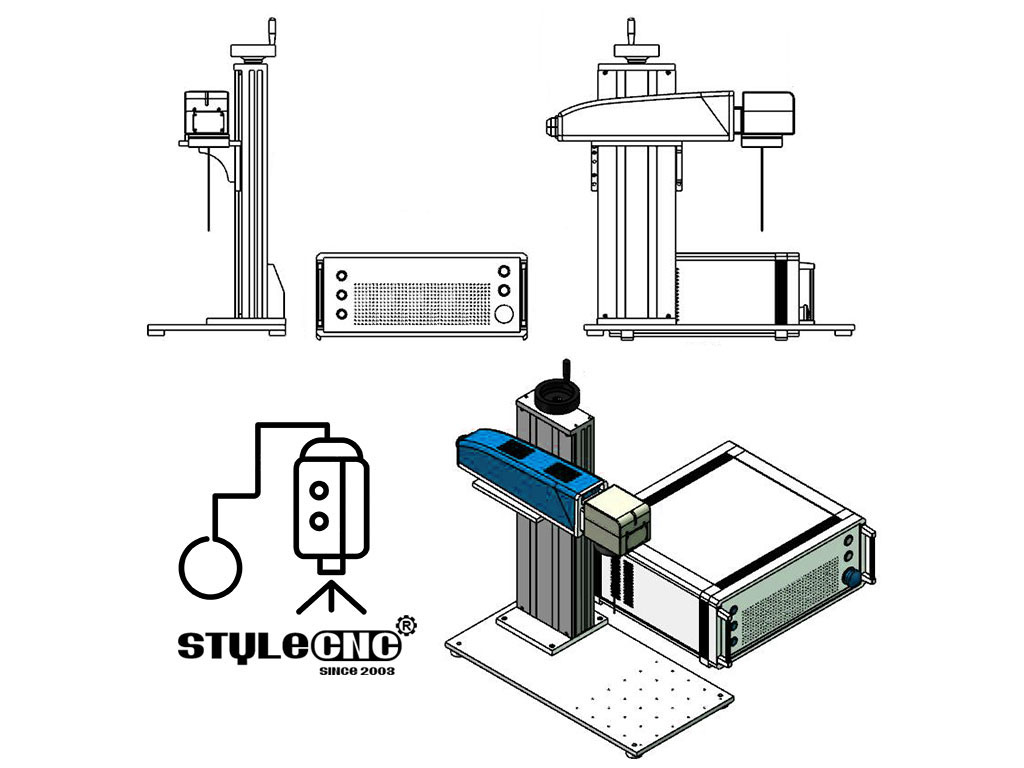
Easy-To-Follow Steps
Do not connect any power cable to power source until all laser marking machine system connections are made.
1. All equipment must remain powered down and in the OFF position until mounting is complete.
2. Place the laser controller, system computer, monitor, keyboard, and mouse in the desired locations. Locate the laser controller as close as possible to the laser marking head.
3. Ensure sufficient clearance exists on all sides of the laser controller to allow for proper air circulation and to permit proper installation of applicable cables. Refer to the Laser Marking Machine Controller Dimensions drawing for details.
4. Place the laser marking head on a suitable mounting surface.
5. Ensure sufficient clearance exists on all sides of the laser marking head to allow for proper air circulation and to permit proper installation of applicable cables. Refer to the Laser Marking Head Dimensions drawing for details.
6. Mount the laser marking head with three M5-0.80 bolts and lock washers using the factory-tapped mounting holes provided. Refer to the laser marking head dimensions drawing for details.
Note: Optionally, three M6 locating pins may be used at the 0.2362 P6 hole locations for more precise marking head alignment.
7. Select the proper fuse arrangement for the laser controller. Refer to the laser marking machine installation and maintenance manual.
8. Connect all cables as applicable (fiber optic cable, laser marking head cable, RF cable, galvo control cable, computer monitor, keyboard, mouse, and power cables).
9. Connect any optional or customer-supplied devices or interface circuits as applicable.
10. Refer to the operation supplement for proper startup procedure. Refer to the laser marking software operating instructions for complete information on using the system software.
For different type fiber laser marking machine, welcome to click our product here:
 |  |  | 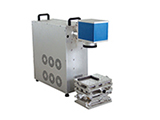 |
| Standard fiber laser marking machine | 3D fiber laser marking machine | Flying fiber laser marking machine | Portable fiber laser marking machine |
Safety Precautions Before Setup
Ensuring safety is paramount when setting up a laser marking machine. Proper precautions help protect the equipment, operator, and workspace while preventing unnecessary hazards. Here are essential safety tips to follow.
• Power Off the System: Ensure all equipment remains powered off and disconnected from the power source before starting the setup. This prevents accidental electrical hazards during installation.
• Wear Appropriate Safety Gear: Equip yourself with safety goggles designed for laser use and other protective gear as required. This minimizes exposure to harmful laser beams and ensures safe handling.
• Inspect the Workspace: Verify that the setup area is clean, dry, and free from flammable materials. Ensure proper ventilation to dissipate heat generated during machine operation.
• Read the User Manual Thoroughly: Familiarize yourself with the machine's installation and maintenance guide. Understanding the manufacturer's instructions ensures correct assembly and minimizes risks.
• Check All Components: Inspect the laser controller, marking head, and cables for any damage or defects before installation. Damaged components can lead to malfunction or safety hazards.
• Secure the Equipment: Ensure that the machine and its components are mounted on stable and suitable surfaces. Proper mounting prevents movement during operation, ensuring both safety and precision.
Troubleshooting Common Setup Issues
Setting up a laser marking machine can sometimes present unexpected challenges. Knowing how to address common issues ensures a smoother process and prevents unnecessary delays. Here's a guide to troubleshoot the most frequent setup problems effectively:
Power Supply Problems
Ensure all power cables are securely connected, and the correct voltage is supplied. Double-check the fuse arrangement in the controller to confirm compatibility with the power source and replace blown fuses if necessary.
Incorrect Cable Connections
Verify that all cables, including the fiber optic, galvo control, and monitor connections, are properly installed. Cross-check against the user manual to avoid any mismatched or loose connections that could interrupt the system.
Poor Air Circulation
Ensure the laser controller and marking head are positioned with sufficient clearance for airflow. Remove any obstructions near the vents to prevent overheating and ensure consistent performance.
Misaligned Laser Marking Head
Check that the marking head is mounted securely using factory-provided mounting holes. Adjust its position if alignment is off and use optional locating pins for more precise placement to improve marking accuracy.
Software Installation Issues
Confirm that the laser marking software is installed correctly on the system computer. Restart the software if it fails to respond and reinstall if problems persist to avoid interruptions.
Device Initialization Errors
If the machine does not start up properly, refer to the operation supplement for the startup sequence. Inspect all optional or customer-supplied devices to confirm they are connected correctly and communicating with the main system.