A modest pump and a length of tubing decide more cut quality than most power upgrades. This guide explains what the airflow does, which gas suits which material, and the pressures to start from.
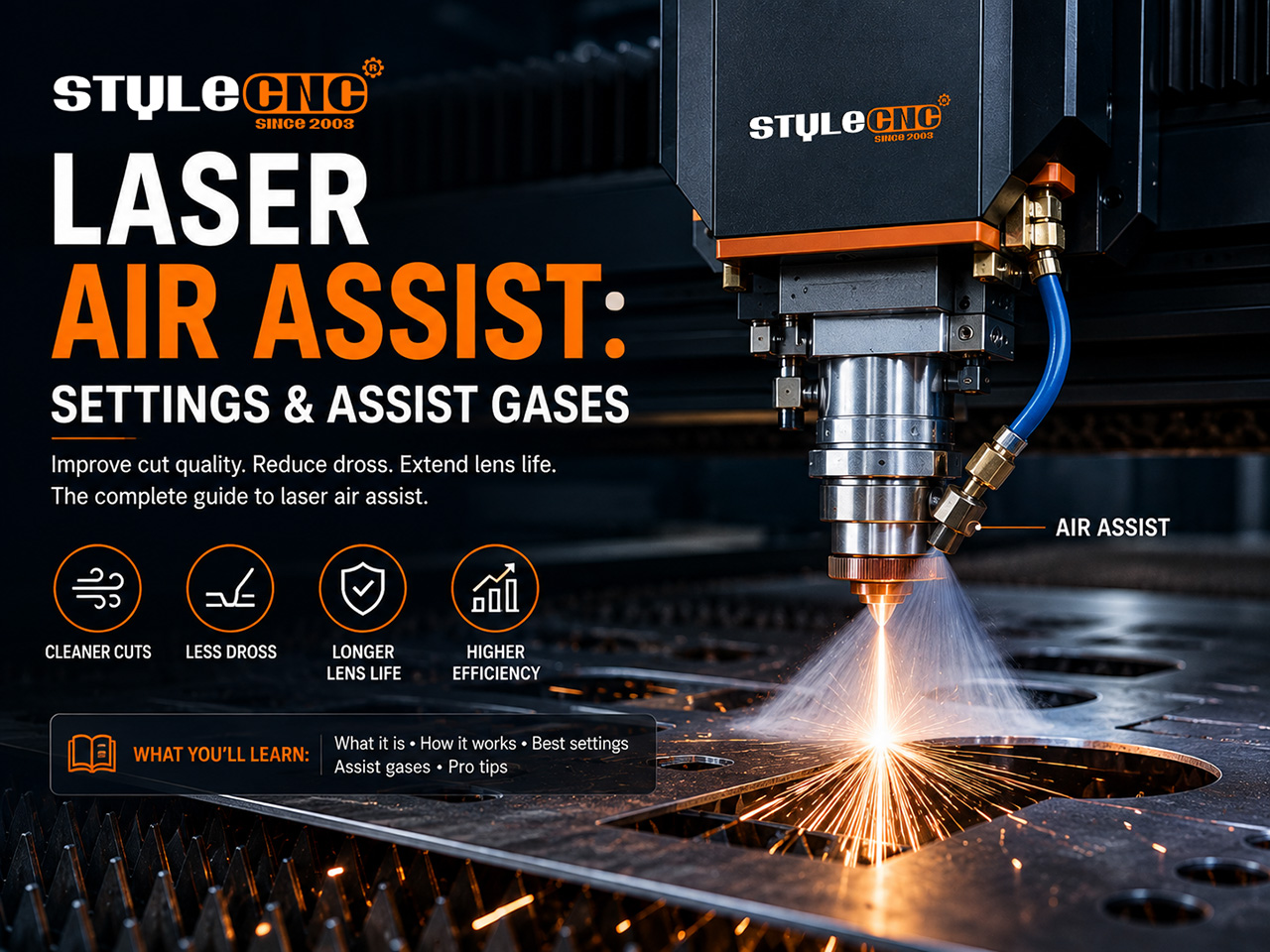
What Air Assist Actually Does
The jet does four jobs at once. It blows smoke and molten debris out of the kerf so the beam is not absorbed mid-air, and it starves small flames before they become big ones.
It also forms a moving shield in front of the optics. Residue that would bake onto a hot lens gets deflected, which is why assist runs standard on every serious CO2 laser cutting machine.
Even light duty laser engraving machines benefit. A gentle flow keeps grey haze from settling back across a finished engraving and stretches lens cleaning intervals several times over.
Air, Nitrogen, or Oxygen: Choosing the Assist Gas
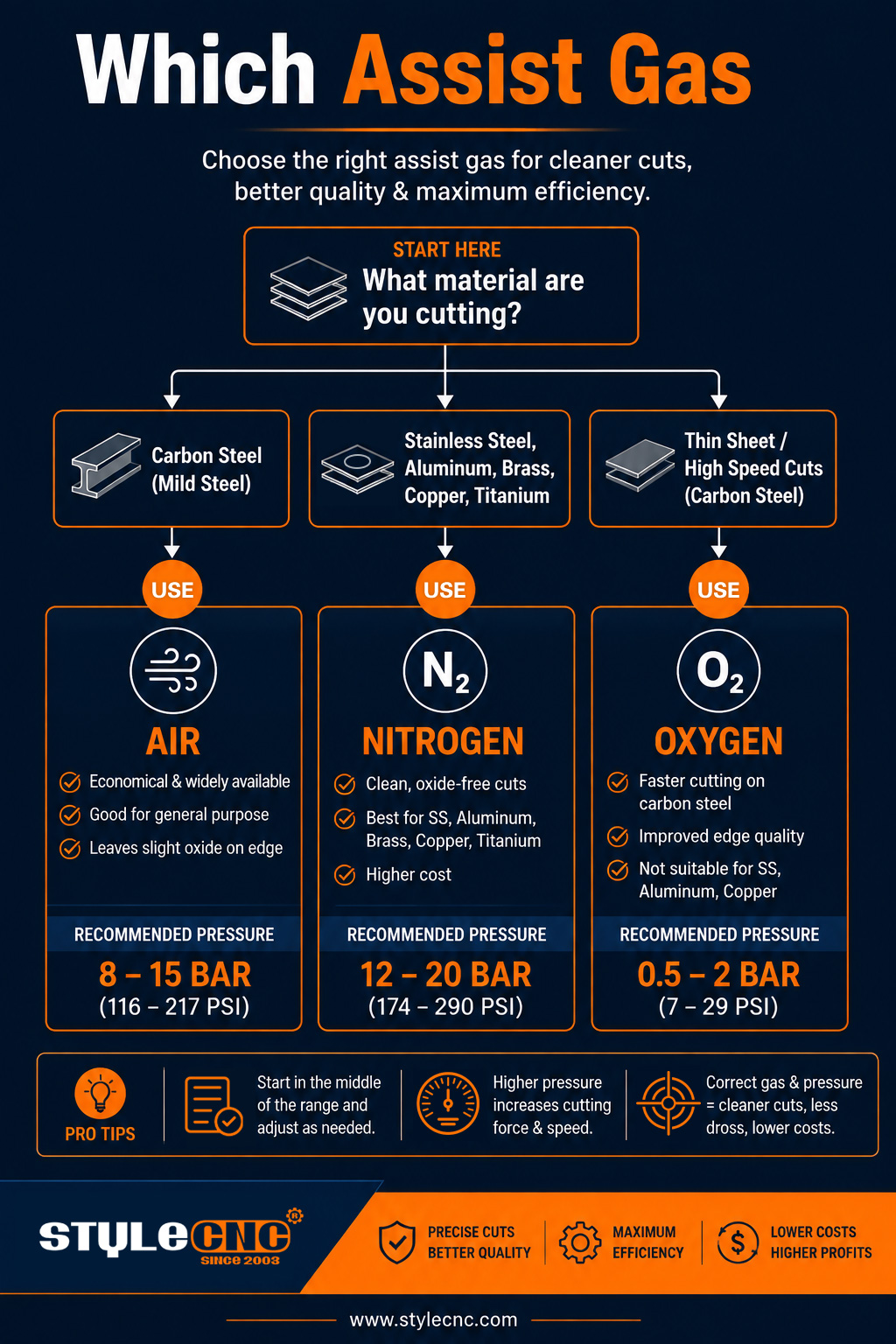
Oxygen adds an exothermic reaction on mild steel, so the flame does part of the cutting. It is the thick-plate choice, at the price of an oxide edge that needs cleaning before welding or powder coating.
Nitrogen is inert and leaves a bright, bare edge on stainless and aluminum. It runs at high pressure and high cost, which is exactly the gap dried compressed air now fills on fiber laser cutting machines.
Air is roughly 78 percent nitrogen already. Industry analysis in The Fabricator rates air-cut edges around an 8 against nitrogen's 10, more than acceptable for most parts at a fraction of the gas bill.
Pressure Settings Table by Material
Start from the windows below, then adjust in small steps while watching the kerf. Pressure should be read at the cutting head, not at a compressor across the shop.
| Material and Operation | Gas | Starting Pressure | Practical Effect |
| Measurement | gas type | bar (1 bar is about 14.5 psi) | what the jet does at the kerf |
| Wood engraving | Air, low flow | 0.2-0.5 | Keeps smoke off the lens without blowing ash streaks |
| Plywood and MDF cutting | Air | 1-2.5 | Clears resin smoke and snuffs flare-ups |
| Acrylic cutting | Air, minimal | 0.1-0.3 | Preserves the flame-polished edge |
| Leather and fabric work | Air, low flow | 0.2-0.4 | Prevents a scorch halo around the design |
| Mild steel cutting | Oxygen | 0.4-0.8 | Exothermic boost for speed and thickness |
| Stainless steel cutting | Nitrogen | 10-16 | Bright, oxide-free edge ready to weld |
| Aluminum cutting | Nitrogen or dry air | 8-14 | Controls burr and edge oxide |
| Thin mild steel, high speed | Dry compressed air | 6-10 | Near-nitrogen quality at a fraction of the cost |
Hobby diode pumps are rated in flow rather than pressure; 10 to 30 L/min covers most desktop work. Nozzle diameter changes everything, so keep it constant while tuning.
Key Numbers Worth Remembering
• Compressed air is about 78 percent nitrogen, the reason dried shop air lands so close to bottled gas on edge quality.
• Desktop pumps flow 10 to 30 L/min; at diode level, steady flow matters more than gauge pressure.
• Nitrogen cutting on stainless typically runs 10 to 16 bar, so fittings and hose must be rated accordingly.
• Oxygen stays under 1 bar on mild steel; extra pressure widens the kerf instead of speeding the cut.
• Air purity classes published by CAGI give a shared language for how dry and oil-free a supply really is.
• A misaligned nozzle can waste half the jet before any gauge shows a problem.
Setting Up the Airline Correctly
Work backward from the nozzle. Fit a regulator and gauge at the machine, a coalescing filter to trap oil mist, and a refrigerated dryer ahead of both; water and oil are the two fastest ways to ruin optics.
Center the beam in the nozzle bore with a tape shot after any head crash or mirror work. A jet that pushes melt sideways leaves one clean wall and one dross-loaded wall.
Assist pushes smoke out of the kerf, but something still has to remove it from the cabinet. Pair the airline with a filtered fume extractor for plastics especially; the question of whether cutting acrylic is toxic comes down to exactly this extraction.
Keep an extinguisher rated for your materials within reach and follow NFPA fire guidance before leaving any laser running unattended; airflow reduces flare-ups, it does not eliminate them.
Questions Operators Actually Ask
Do I really need a pump on a 10W diode engraver?
For engraving you can limp along without one, but the lens pays for it in residue and fire risk climbs on resinous wood. A small pump costs less than one replacement lens and improves cuts immediately.
Why did my acrylic edge turn cloudy after a pump upgrade?
Strong flow chills the melt before it can self-polish, leaving frost. Drop toward 0.1 to 0.3 bar for clear sheet, the same low-air approach a dedicated acrylic laser cutting machine profile uses for polish passes.
Can a fiber cutter run on shop air instead of nitrogen?
For mild steel and many aluminum jobs, yes, provided the supply is dried and oil-filtered. Cosmetic stainless and weld-ready edges still favor nitrogen, so most shops plumb both and switch by job.
Common Mistakes That Undercut the Jet
• Running one pressure for every material and operation.
• Blasting acrylic with high flow and losing the flame-polished edge.
• Feeding moist, oily air straight into the cutting head.
• Ignoring nozzle centering, so the jet pushes melt into one wall of the kerf.
• Choosing oxygen for stainless and wondering why the edge turned dark.
• Undersizing the compressor, so pressure sags halfway across a sheet.
• Switching assist off for engraving and letting residue haze the lens.
• Reading pressure at the compressor instead of at the cutting head.
Air Assist Setup Checklist
✓ Match gas and starting pressure to the material before each job.
✓ Fit a refrigerated dryer and coalescing filter ahead of the head.
✓ Verify nozzle centering with a tape shot after any crash.
✓ Confirm the standoff distance your machine manual specifies.
✓ Watch the first cut of a new material with an extinguisher in reach.
✓ Log pressure beside speed and power on the settings sheet.
✓ Drain the compressor tank and change filter elements on schedule.
Frequently Asked Questions
Is a bigger compressor always better?
No. The head only passes what the nozzle allows, so an oversized compressor mostly cycles less often. Size for steady delivery at your highest working pressure plus a margin, then spend the savings on drying and filtration, which matter far more at the lens.
What pressure works for cutting 3 mm plywood?
Around 1 to 2 bar on a CO2 machine handles most plywood, enough to clear resin smoke without fanning embers. If edges still char, raise airflow one step before touching power, and check that the nozzle jet actually lands in the kerf.
Why does my lens haze over even with air assist running?
Hazy optics usually mean the air itself is dirty. Compressor oil mist and moisture bake onto hot glass, so add a coalescing filter and a dryer, and confirm airflow is positive at the nozzle rather than leaking from a loose fitting upstream.
How much faster is oxygen than air on mild steel?
On thicker plate the exothermic boost is substantial, often letting the same wattage cut noticeably faster or handle heavier sections. On thin sheet the gap shrinks, which is why many shops run dry air below a few millimeters and save oxygen for heavy work.
Does air assist change photo engraving quality?
Yes, in both directions. Gentle flow keeps smoke from redepositing grey haze across the image, but a hard jet can scatter fine ash unevenly. Many operators drop to the lowest stable flow for photos and reserve strong pressure for cuts.
How dry does the air need to be for a fiber cutter?
Aim for instrument-grade dryness: a refrigerated dryer at minimum, with desiccant drying in humid climates. Water reaching a hot protective window cracks it, and micro droplets scatter the beam mid-cut. If the tank spits when drained daily, the supply is not dry enough.
Can one compressor feed the laser and other shop tools?
It can, but isolate the laser line with its own regulator, dryer, and filter, and confirm pressure holds while other tools draw. A sander kicking on mid-cut can sag the line just long enough to scorch an edge halfway through a sheet.
What is the tape test for nozzle alignment?
Stick masking tape across the nozzle tip and fire a single low-power pulse. The burn mark shows where the beam sits inside the bore; centered means the gas jet and beam travel together. Adjust the mirrors or head until the dot lands dead center.
Does on-site nitrogen generation ever pay off?
For shops cutting stainless daily, a membrane or PSA generator often beats bottled gas within a few years, especially paired with a high-pressure booster. Occasional users rarely recover the cost; dried compressed air plus rented cylinders covers the spikes more economically.