What Is a Digital Twin in CNC Manufacturing?
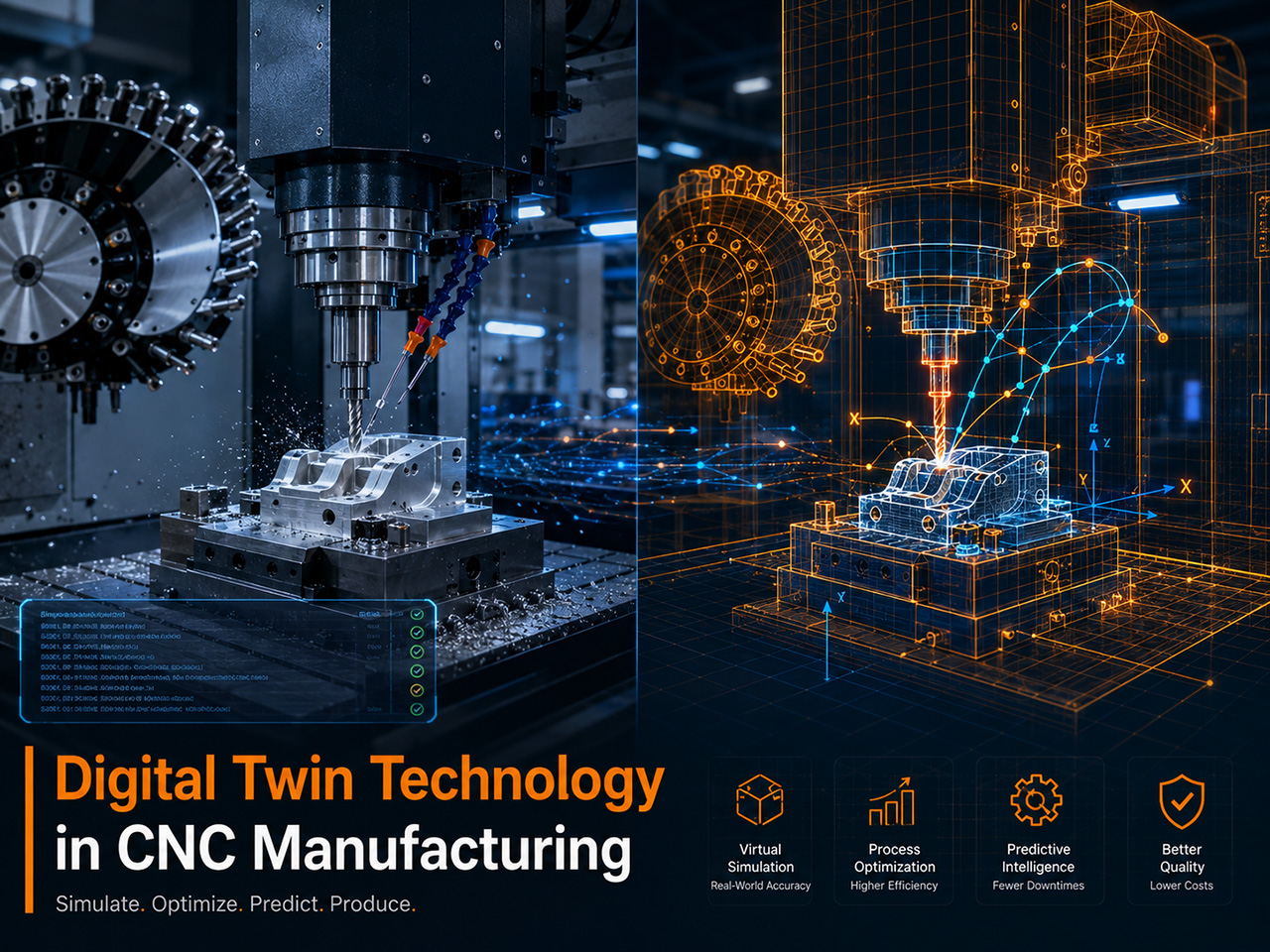
A digital twin in CNC manufacturing is a virtual replica of a physical CNC machine, including its exact kinematics, control logic, tooling, and workpiece. It runs the same G-code the physical machine will run, predicts how the cut will behave, detects collisions before they happen, and gives programmers a safe environment to prove out programs.
The phrase "digital twin" sounds like an industry buzzword, but the underlying technology is concrete. A real CNC digital twin contains the machine's axis travel limits, spindle behavior, tool changer geometry, fixture and workholding models, and post-processor logic. When the twin runs the program, it moves the same way the physical machine will move, and it stops when it would crash, when it would gouge the part, or when a tool would interfere with the chuck. This is fundamentally different from a CAM-internal simulation that only shows toolpath geometry. The CAM simulation animates the cutter against the stock; the digital twin animates the entire machine.
This distinction matters because most expensive CNC crashes come from things the CAM software cannot see: incorrect work offsets, missing tool length compensation, post-processor errors that emit unexpected G-code, or machine-specific kinematics that the CAM does not model. A true digital twin closes those gaps.
The Three Layers of a CNC Digital Twin
Industry practice now distinguishes three layers of digital twin in CNC manufacturing. A complete implementation uses all three, but most shops adopt them in sequence.
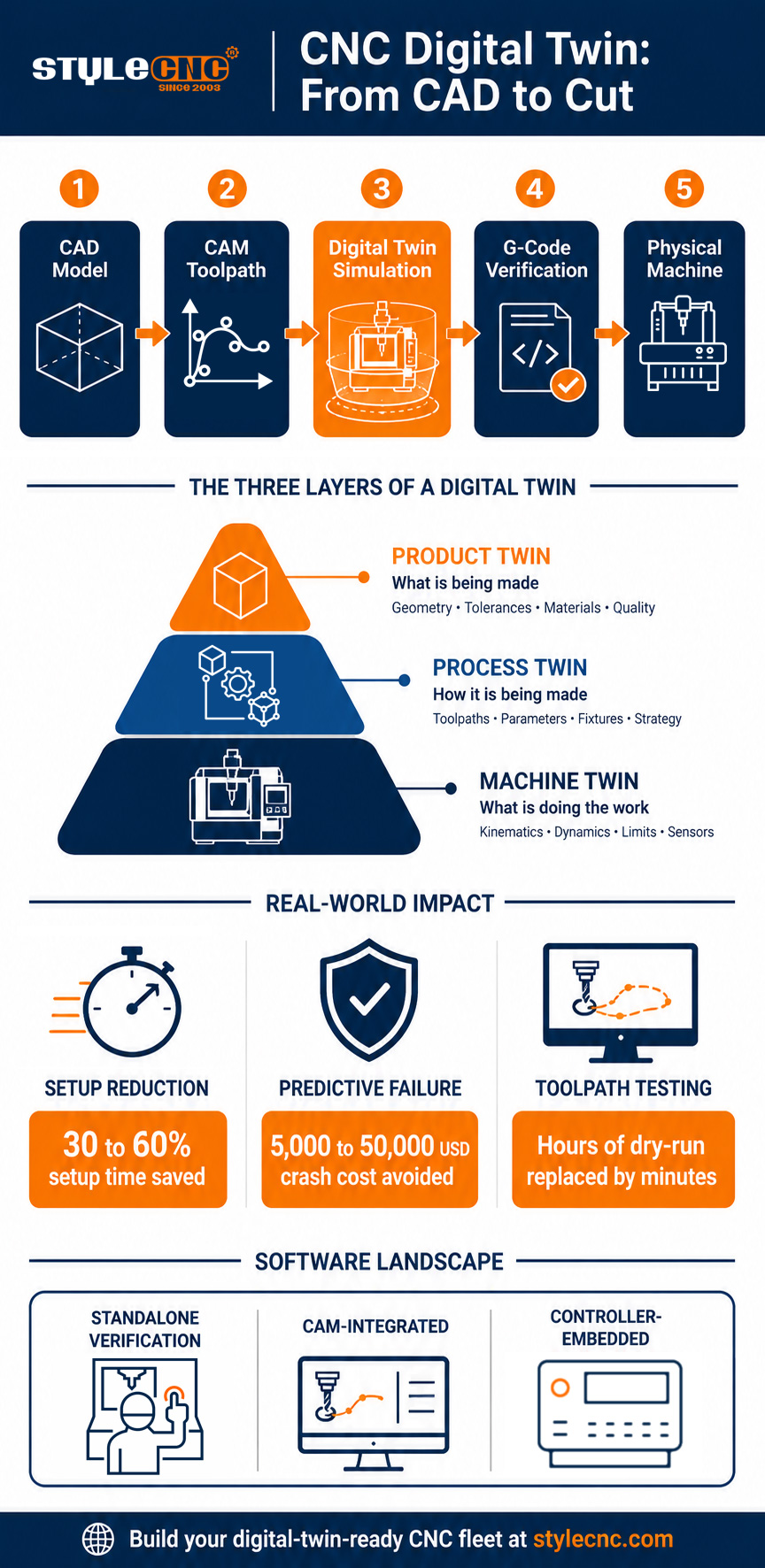
Machine twin. The virtual replica of the CNC machine itself. It models axis kinematics, spindle behavior, controller logic, tool changer geometry, and travel limits. This is the layer that prevents collisions and verifies G-code execution. Vendors like Vericut, NCSIMUL, Tebis CNC Simulator, and HEIDENHAIN Digital Twin Service operate at this layer.
Process twin. The virtual replica of the cutting process, including material removal, chip load, cutting forces, surface finish, and tool wear estimation. Process twins predict whether the cut will actually produce a good part at the planned feeds and speeds. Hexagon NCSIMUL Optitool and ModuleWorks Collision Avoidance System pair process simulation with the machine twin.
Product twin. The virtual replica of the finished part itself, with as-machined dimensions, surface profile, and quality data captured during production. Product twins connect to PLM and MES systems so each physical part has a traceable digital history. This layer is most mature in aerospace and medical manufacturing, where part traceability is mandatory.
How a CNC Digital Twin Works: The Virtual-to-Physical Workflow
The workflow flows in a specific sequence, with the digital twin sitting between programming and the physical machine. The diagram below shows the five stages of a typical CNC digital twin workflow:
| STEP 1 CAD Model | → | STEP 2 CAM Toolpath | → | STEP 3 Digital Twin Sim | → | STEP 4 G-Code Verify | → | STEP 5 Physical Machine |
Each stage in the workflow contributes something specific:
✓ Stage 1, CAD model. The part geometry and the fixture model are created in CAD software. This is the source of truth for what the finished part should look like.
✓ Stage 2, CAM toolpath. CAM software generates the toolpath from the CAD model, selects cutting strategies, and assigns tools. The CAM may include its own internal simulation, but that simulation only knows about the toolpath.
✓ Stage 3, digital twin simulation. The CAM output is fed into the digital twin, which loads the machine model, the actual tooling library, the fixture geometry, and the post-processed G-code. The twin runs the program against this complete environment and flags any collision, gouge, or motion error.
✓ Stage 4, G-code verification. The verified G-code is reviewed and approved. If the twin found errors, the toolpath or post-processor is corrected and the simulation runs again. Nothing reaches the physical machine until the twin passes.
✓ Stage 5, physical machine execution. The verified program runs on the actual CNC machine. In closed-loop implementations, in-process data from the physical machine flows back into the twin to refine future simulations.
This sequence sounds simple but the engineering effort behind it is significant. The accuracy of the twin depends entirely on how faithfully the machine has been modeled, including the controller logic, the post-processor behavior, and the exact tool holder geometry. As Practical Machinist contributors discussing Vericut have noted, the twin is only as good as the machine model provided. A poorly modeled twin can give false confidence as easily as a well-built one can prevent a crash.
Top Use Cases: Setup Reduction, Predictive Failure, and Toolpath Testing
Digital twin technology pays for itself in three specific scenarios. Each use case has a measurable ROI, and shops typically adopt them in the order shown.
Setup Reduction
First-article setup time on a new five-axis machine traditionally consumes 4 to 12 hours of machine time, much of it spent on cautious jogging, trial cuts, and dry-runs. With a digital twin, the entire setup, including fixture positioning, tool length offsets, work coordinate verification, and toolpath rehearsal, happens in the office before the machine is touched. HEIDENHAIN documents reductions of 30 to 60 percent in setup time on TNC-controlled machines once the digital twin workflow is established.
Predictive Failure and Collision Avoidance
The most quoted statistic from Practical Machinist threads on Vericut is the avoided crash. A single five-axis crash can cost 5,000 to 50,000 USD in spindle repair, plus lost production time and a damaged customer relationship. Digital twin simulation catches collisions before the program ever reaches the controller. ModuleWorks Collision Avoidance System extends this further by running the twin alongside the live controller and intercepting motion commands that would lead to a crash even mid-cut.
Toolpath Testing and Operator Training
Programmers can prove out new strategies, test post-processor changes, and rehearse complex multi-axis sequences entirely in the virtual environment. The same twin doubles as a training platform: operators learn machine behavior on a virtual replica without consuming production hours or risking damage to real equipment. Heidenhain, Siemens Sinumerik One, and Fanuc all offer training-grade digital twins that mirror their production controllers exactly.
A pattern across all three use cases is that the digital twin moves expensive activities off the physical machine. Setup, debugging, and training all become office work. The physical machine spends more of its time doing what it is best at, which is cutting parts.
Digital Twin Software and Controllers Worth Knowing
The CNC digital twin market has consolidated into three categories of solution. Most production shops use a combination.
Standalone simulation and verification platforms. CGTech Vericut, Hexagon NCSIMUL, Tebis CNC Simulator, and Siemens Run MyVirtual Machine all create dedicated machine twins from CAD models of the physical equipment. They are post-processor-agnostic, support most major controllers, and excel at complex multi-axis machining. Cost ranges widely; Practical Machinist threads cite Vericut quotes between 25,000 and 50,000 USD per seat depending on modules.
CAM-integrated simulation. Autodesk Fusion 360, Mastercam, Siemens NX CAM, ESPRIT, and PowerMill include increasingly capable internal simulation modules. These read the CAM toolpath directly and animate cutter movement against stock. They catch toolpath errors well but historically struggle with machine-level collisions, which is why many shops layer a standalone twin on top. A quick reference for choosing between these options is the
CNC programming software list, which maps the major CAM tools to their simulation capabilities, alongside the broader CAD/CAM software catalog for the underlying design platforms.
Controller-embedded twins. HEIDENHAIN Digital Twin Service, Siemens Sinumerik One with Create MyVirtual Machine, and Fanuc CNC Guide ship digital twin capability directly with the controller. Programs can be verified in the office on a virtual copy of the exact controller they will run on. This category is the fastest-growing because it eliminates the post-processor translation problem entirely. For shops integrating digital twin workflows, understanding the underlying
G-code reference and the controller dialect is essential preparation.
Pairing Digital Twins with STYLECNC CNC Routers and Fiber Laser Cutters
Digital twin software needs a machine architecture it can model accurately. Older CNC equipment with proprietary controllers, undocumented kinematics, or non-standard post-processors makes the twin harder to build and less reliable when built. Enterprise-grade machines designed for predictable digital integration are a much better foundation.
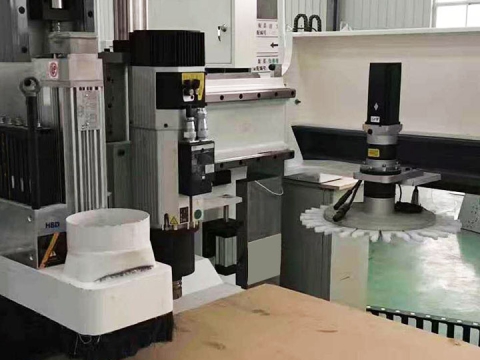
STYLECNC industrial product lines are engineered with this integration in mind. The ATC CNC router category uses standard automatic tool changer geometries, documented controller architectures, and verifiable post-processors that map cleanly into digital twin software. The tool changer geometry alone is critical because most twin collision libraries need precise carousel or linear ATC dimensions to predict tool clearance correctly. STYLECNC ATC routers also scale across 3, 4, and 5 axis configurations, which is the axis range where digital twin payoff is largest.
On the laser side, the fiber laser cutting machine category is increasingly being modeled in digital twin environments for sheet and tube optimization. Fiber laser cutting paths benefit from twin simulation because the laser head, the nozzle geometry, and the assist gas geometry must clear the workpiece and any fixturing at every point in the cut. Nesting software paired with a twin can verify the entire cut sequence on a sheet before the laser fires, which protects expensive optics and cutting heads from collisions that a 2D CAM preview would never catch.
For shops planning a multi-year digital twin roadmap, the practical question to ask before any new machine purchase is whether the builder provides a machine model file, documented controller behavior, and a post-processor that the twin software can use. STYLECNC supports this kind of integration as a standard part of enterprise CNC router and fiber laser cutter deployment.
Glossary: Digital Twin Terms for CNC Programmers and Buyers
Use this reference when comparing digital twin software, evaluating CNC hardware for twin readiness, or reviewing vendor documentation.
| Term | Definition |
|---|---|
| Machine twin | Virtual replica of the physical CNC machine including axes, controller, and tool changer geometry. |
| Process twin | Virtual replica of the cutting process modeling material removal, forces, and tool wear. |
| Product twin | Virtual record of the finished part with as-machined dimensions and quality data. |
| Virtual commissioning | Validation of a new machine, fixture, or process entirely in software before physical commissioning. |
| Kinematics model | Mathematical description of how the machine's axes move relative to one another. |
| Collision avoidance system | Software that monitors a running CNC program and stops the machine before a predicted collision occurs. |
| Post-processor | Translator that converts CAM toolpaths into the G-code dialect understood by a specific machine controller. |
| Verification cycle | Single end-to-end simulation pass through the digital twin to confirm a program is safe to run. |
| Prove-out | Traditional first-run of a new program on the physical machine, usually at reduced feed rates. Digital twins largely replace this. |
| Closed-loop simulation | Workflow where in-process machine data feeds back into the twin to refine the next cycle. |
Frequently Asked Questions
Is a digital twin different from CAM simulation?
Yes. CAM-internal simulation animates the toolpath against the stock geometry. A digital twin animates the entire machine, including the controller, kinematics, tool changer, and fixture, running the actual post-processed G-code. Practical Machinist threads on 5-axis machine simulation consistently flag this distinction: CAM simulation looks correct because the toolpath is correct, but the machine may still crash because of post-processor or kinematics errors the CAM never sees.
How much does CNC digital twin software cost?
Standalone packages like Vericut range from 25,000 to 50,000 USD per seat depending on modules and machine count, based on quotes referenced in Practical Machinist Vericut discussion threads. CAM-integrated simulation is included in most CAM subscriptions in the 3,000 to 12,000 USD per year range. Controller-embedded twins from HEIDENHAIN, Siemens, and Fanuc are typically bundled with the controller license or available as a service add-on with separate pricing.
How accurate is a digital twin compared to the real machine?
Accuracy depends entirely on the quality of the machine model. CNCZone collision detection threads and Practical Machinist Vericut discussions agree on the same point: a digital twin is only as reliable as the kinematics file, controller emulation, and tool holder data provided. A well-built twin from a machine builder or service provider can match real machine behavior to within fractions of a millimeter. A hastily built twin can give false confidence and miss real collisions.
Can a digital twin replace the first-article prove-out on the machine?
For most production parts, yes. Shops running mature digital twin workflows often skip the traditional reduced-feedrate prove-out and run the verified program at full feed on the first cut. For very complex multi-axis parts or new fixturing, many programmers still do a dry-run on the physical machine as a final sanity check, but the duration drops from hours to minutes because the twin has already caught the major issues.
Do I need a digital twin for a 3-axis CNC router?
The cost-benefit shifts with axis count and machine value. For 3-axis routers under 50,000 USD, the standalone twin investment is harder to justify and CAM-integrated simulation usually suffices. For 4-axis and 5-axis machines, multi-tasking centers, and high-value fiber laser cutters with expensive optics, dedicated digital twin software is widely considered standard practice in industrial shops.
What hardware features make a CNC machine digital twin ready?
Three features matter most. First, a documented machine model file or CAD geometry that twin software can import. Second, a verified post-processor that produces the exact G-code the controller will execute. Third, controller architecture from a major builder (Heidenhain, Siemens, Fanuc, or compatible) for which twin libraries already exist. Enterprise CNC routers and fiber laser cutters from established manufacturers like STYLECNC are designed around these integration points from the outset.