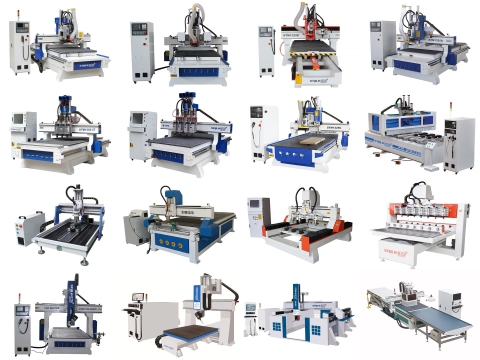
The primary difference is structural design and intended application: CNC routers feature gantry-style construction with moving bridges, high-speed spindles (18,000-24,000 RPM), and excel at cutting softer materials like wood, plastics, and composites. CNC mills use fixed-bridge construction, lower-speed spindles with higher torque (3,000-8,000 RPM), and are designed for precision metalworking requiring superior rigidity.
Choosing between a CNC router and a CNC mill represents one of the most fundamental decisions in automated manufacturing. While both machines perform subtractive machining through computer-controlled cutting, their engineering philosophies diverge significantly. Understanding these differences ensures you select equipment aligned with your material requirements, precision demands, and production goals.
This comprehensive comparison examines structural design, operational characteristics, application suitability, and economic considerations to guide your decision-making process.
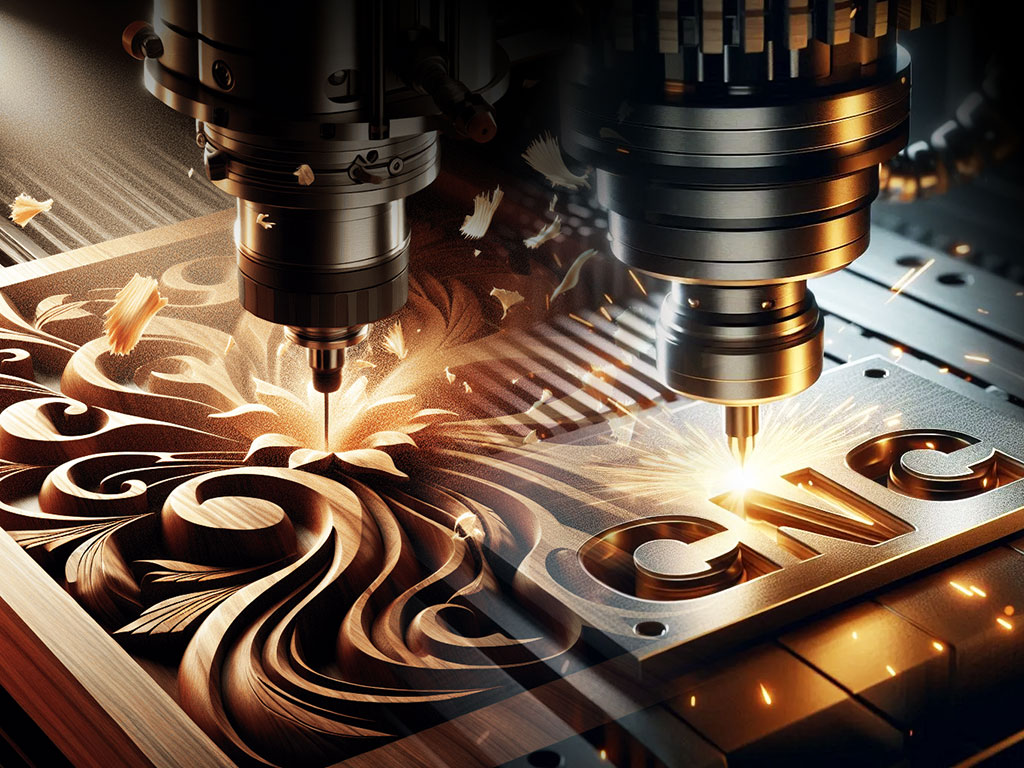
Fundamental Design Philosophy
Structural Architecture
The most visible difference lies in how these machines achieve motion and maintain rigidity during cutting operations.
CNC Router Construction: CNC routers employ a gantry-style design where the cutting tool moves across the workpiece in all three axes. The movable bridge (gantry) travels along the length of the machine while the spindle moves vertically and across the gantry width. This configuration maximizes work envelope size relative to machine footprint, making routers ideal for processing large sheet materials like plywood, MDF, and acrylic panels.
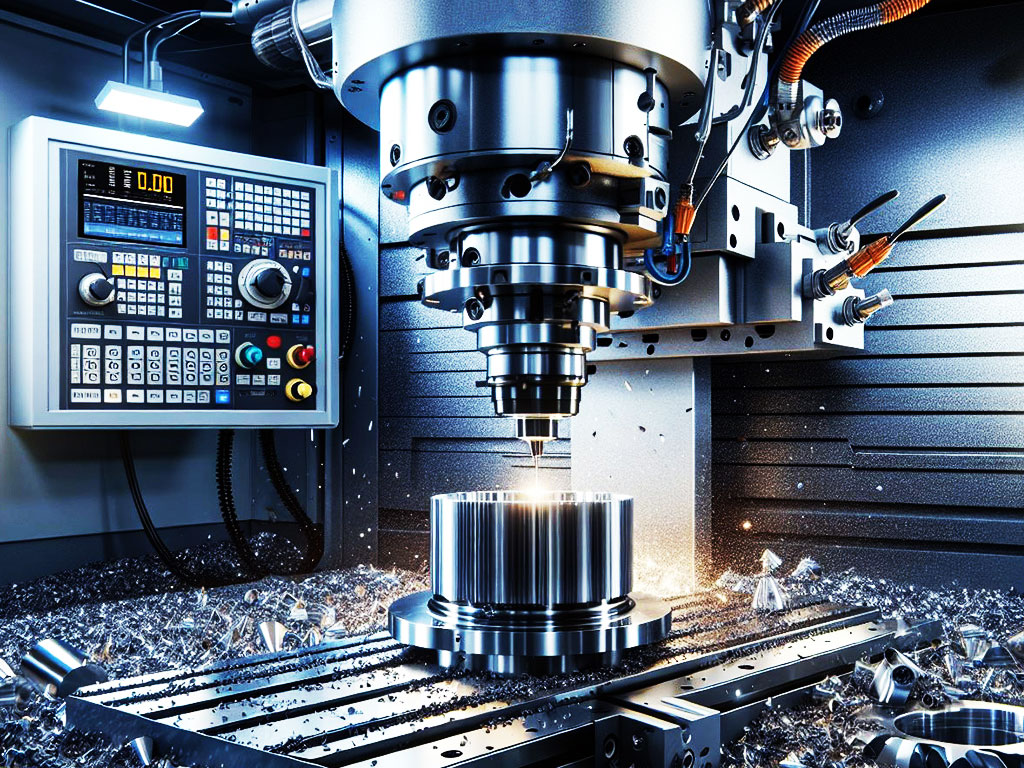
CNC Mill Construction: CNC milling machines typically feature fixed-bridge construction where the workpiece moves beneath a stationary or minimally moving cutting head. This design prioritizes structural rigidity over work envelope size. The massive frame construction and minimal moving mass during cutting operations enable the precision and cutting forces required for metalworking.
Machine Rigidity and Mass
Structural rigidity directly influences cutting performance, surface finish quality, and achievable tolerances.
• CNC Mills: Cast iron or welded steel construction weighing 2,000-10,000+ lbs for benchtop to mid-size machines. This mass dampens vibration and resists deflection under heavy cutting loads.
• CNC Routers: Aluminum extrusion or welded steel tube frames weighing 500-3,000 lbs for comparable work envelopes. Lighter construction allows faster rapid traverse rates but limits material removal rates in hard materials.
The mass difference becomes critical when comparing performance on identical materials. A metal CNC machine designed for aluminum milling will outperform a router attempting the same operation, even if both machines have similar work envelope dimensions.
Technical Specifications Comparison
| Specification | CNC Router | CNC Mill |
|---|---|---|
| Spindle Speed Range | 18,000 - 24,000 RPM (standard) | 3,000 - 8,000 RPM (standard) |
| Up to 60,000 RPM (high-speed) | Up to 12,000 RPM (high-speed) | |
| Spindle Power | 1.5 - 9 HP (air-cooled) | 3 - 7.5 HP (standard) |
| 3 - 12 HP (water-cooled) | 10 - 40+ HP (industrial) | |
| Spindle Taper | ER collet system | R8, ISO/BT30/40/50 |
| ISO/BT30 (ATC models) | CAT40/50, HSK | |
| Positional Accuracy | ±0.002" - ±0.005" | ±0.0002" - ±0.001" |
| (±0.05 - ±0.13 mm) | (±0.005 - ±0.025 mm) | |
| Repeatability | ±0.001" - ±0.003" | ±0.0001" - ±0.0005" |
| (±0.025 - ±0.076 mm) | (±0.0025 - ±0.013 mm) | |
| Maximum Cutting Depth (single pass) | 0.125" - 0.250" in wood | 0.060" - 0.125" in aluminum |
| 0.030" - 0.060" in aluminum | 0.030" - 0.060" in steel | |
| Feed Rate | 200 - 1,000+ IPM | 20 - 300 IPM (depends on material) |
| Rapid Traverse Rate | 600 - 2,000 IPM | 300 - 800 IPM |
| Typical Work Envelope | 4' × 8' common | 20" × 12" × 16" (benchtop) |
| 5' × 10' to 6' × 12' available | 40" × 20" × 20" (standard) | |
| Machine Weight | 800 - 3,500 lbs | 1,500 - 8,000+ lbs |
| Price Range (Entry to Mid-Level) | $8,000 - $45,000 | $15,000 - $75,000 |
Spindle Technology and Cutting Dynamics
Speed vs. Torque Trade-offs
Spindle characteristics fundamentally determine what materials each machine can process effectively.
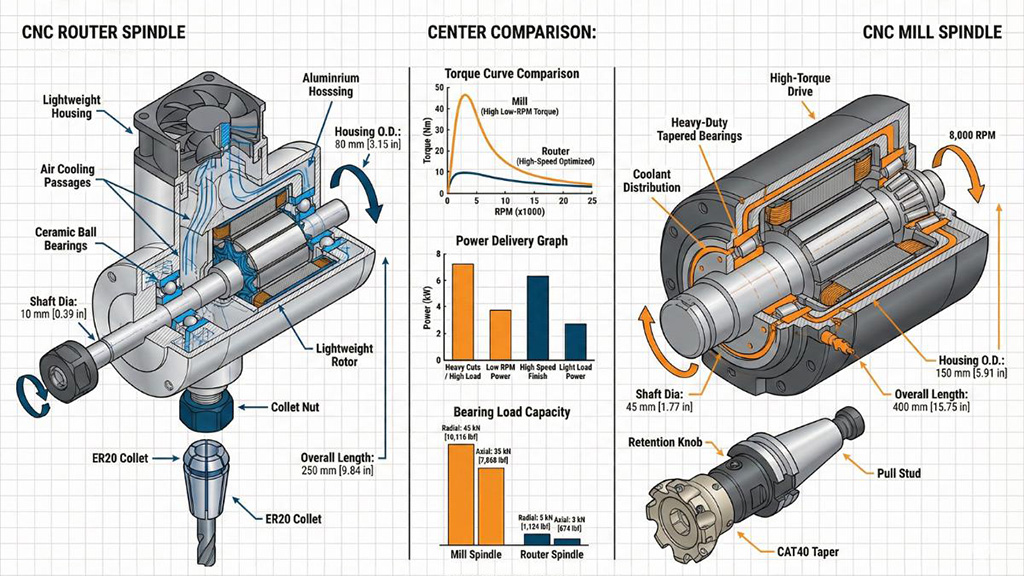
High-Speed Router Spindles: Router spindles achieve their high RPM through lightweight construction and smaller bearing systems. This design philosophy prioritizes cutting speed over cutting force. The high surface speeds generated at 20,000 RPM enable clean cutting in wood, where chip formation depends more on shearing fibers than on heavy material removal. The trade-off is lower torque availability at slower speeds, making routers inefficient for heavy material removal in metals.
High-Torque Mill Spindles: Milling spindles sacrifice maximum RPM for substantially higher torque output. This enables aggressive material removal in steel, stainless, titanium, and other challenging materials. The robust bearing systems and heavier construction allow interrupted cuts, heavy roughing passes, and the cutting forces encountered in precision metalworking.
Tool Holding Systems
Tool holding directly impacts achievable accuracy and surface finish:
| System | Common in | Runout | Best For |
|---|---|---|---|
| ER Collet | CNC Routers | 0.0005" - 0.001" | Router bits, straight shank tools |
| ISO/BT30 | Both (ATC) | 0.0002" - 0.0005" | General-purpose machining |
| CAT40 | CNC Mills | 0.0001" - 0.0003" | Precision milling operations |
| HSK | High-Speed Mills | < 0.0001" | High-speed precision work |
Material Processing Capabilities
Ideal Materials for CNC Routers
Router design optimization for high-speed cutting in softer materials creates clear application strengths:
Excellent Performance:
• Wood and wood composites: Solid hardwoods, softwoods, MDF, particleboard, plywood.
• Plastics: Acrylic, polycarbonate, HDPE, PVC, ABS.
• Foams: Expanded polystyrene (EPS), polyurethane foam, modeling foams.
• Composites: Fiberglass, carbon fiber (with appropriate dust collection).
• Non-ferrous metals (light duty): Aluminum (6061, 7075), brass, copper.
Limited or Unsuitable:
• Steel and stainless steel (except specialized heavy-duty routers).
• Titanium and exotic alloys.
• Thick aluminum requiring heavy material removal.
• Any material requiring interrupted heavy cuts.
For woodworkers, cabinet makers, and sign manufacturers, hobby CNC routers and industrial models provide unmatched productivity and versatility.
Ideal Materials for CNC Mills
Mill construction and spindle characteristics enable the processing of challenging engineering materials:
Excellent Performance:
• Ferrous metals: Mild steel, tool steel, stainless steel (all grades).
• Non-ferrous metals: Aluminum (all alloys), brass, bronze, copper.
• Exotic alloys: Titanium, Inconel, Hastelloy, tool steels.
• Engineering plastics: Delrin, PEEK, Ultem, phenolics.
• Precision work in any machinable material.
Manufacturers requiring precision metal components benefit from dedicated CNC machining centers designed specifically for these demanding applications.
Application-Specific Recommendations
When to Choose a CNC Router
Router selection makes economic and technical sense for specific applications:
Woodworking and Furniture Manufacturing
• Cabinet door production with complex profiles and joinery.
• Custom furniture components requiring intricate 3D carving.
• Architectural millwork and decorative elements.
• Production runs of identical wood components.
Sign Making and Graphics
• Dimensional letters in acrylic, PVC, or HDU foam.
• Channel letter fabrication for illuminated signage.
• Large-format sign panels in various plastics.
• V-carving and relief engraving in multiple materials.
Prototyping and Model Making
• Architectural models in foam, wood, and acrylic.
• Product design prototypes in engineering plastics.
• Mold patterns for vacuum forming or casting.
• Large-scale artistic sculptures and installations.
Those new to automated fabrication can start with entry-level CNC routers to learn fundamental programming and operation before investing in more complex equipment.
When to Choose a CNC Mill
Milling machines become necessary when precision, material properties, or part complexity exceed router capabilities:
Precision Metalworking
• Machined components requiring tolerances tighter than ±0.002".
• Parts with precisely threaded holes and tight thread tolerances.
• Components requiring specific surface roughness specifications.
• Assemblies where dimensional accuracy affects fit and function.
Automotive and Aerospace Components
• Engine components in aluminum and steel.
• Suspension parts requiring high strength-to-weight ratios.
• Brackets and mounting fixtures in various alloys.
• Precision jigs and fixtures for manufacturing processes.
Tool and Die Making
• Injection mold cavities and cores in tool steel.
• Die components for stamping and forming operations.
• Precision fixtures for inspection and assembly.
• Master patterns for replication processes.
Understanding safe milling machine operation is critical before beginning metal machining projects.
Economic Considerations
Total Cost of Ownership
Initial purchase price represents only a portion of true ownership costs over the machine's operational life.
Initial Investment
| Cost Category | CNC Router | CNC Mill |
|---|---|---|
| Machine Purchase | $8,000 - $45,000 | $15,000 - $75,000 |
| Installation & Setup | $500 - $2,000 | $1,500 - $5,000 |
| Electrical Requirements | Standard 220V single-phase | 220V/440V three-phase common |
| Dust/Coolant System | $1,500 - $5,000 (dust collection) | $2,000 - $8,000 (coolant system) |
| Initial Tooling | $800 - $2,500 | $2,000 - $8,000 |
| CAM Software | $500 - $3,000/year | $1,500 - $8,000/year |
Operating Costs
• Tool Consumption (Router): $100-300/month for production work; carbide router bits wear quickly in abrasive materials.
• Tool Consumption (Mill): $200-600/month; higher-cost carbide endmills last longer but cost more initially.
• Power Consumption (Router): 3-12 kW typical operation; lower power draw than mills.
• Power Consumption (Mill): 5-30 kW typical operation; significant electrical costs in production environments.
• Maintenance: Routers require more frequent bearing replacement; mills need rigorous coolant management.
Return on Investment Considerations
ROI calculation must account for production throughput, material utilization, and labor efficiency. A CNC router with automatic tool changer can process multiple jobs unattended, dramatically improving productivity per labor hour. Similarly, a mill's precision reduces scrap rates in expensive materials, improving overall project profitability.
Hybrid and Multi-Purpose Solutions
Router-Mill Combination Machines
Some applications benefit from machines that bridge the gap between routers and mills. Heavy-duty CNC routers with reinforced construction, lower-speed spindle options, and enhanced rigidity can handle light aluminum machining while retaining the large work envelope advantages of router design.
Typical Features:
• Reinforced gantry construction with thicker wall tubing.
• Dual spindle options: high-speed (24,000 RPM) for wood, lower-speed (8,000 RPM) for metals.
• Enhanced linear guides and ballscrews for improved rigidity.
• Automatic tool changers supporting both router bits and milling cutters.
• Flood coolant systems for metal cutting operations.
These compromise machines serve shops processing diverse materials but may not achieve the ultimate performance of dedicated equipment in either category.
Vertical Machining Centers
For operations requiring true mill precision with larger work envelopes, vertical machining centers offer an alternative architecture. These machines maintain mill-like rigidity while providing travel distances approaching router capabilities, though at significantly higher cost.
Frequently Asked Questions
Can I use a CNC router to mill aluminum?
Yes, but with significant limitations. Routers can machine aluminum using appropriate feeds, speeds, and cutting strategies. However, material removal rates will be substantially lower than a mill, cycle times will be longer, and you must limit depth of cut to prevent deflection. Heavy-duty routers with reinforced construction perform better for aluminum work than standard woodworking routers.
Why are CNC mills more expensive than routers with similar work envelopes?
Mills incorporate substantially more mass, precision components, and robust construction. The casting or heavy welding process for mill bases costs significantly more than router frame construction. Additionally, mills use precision ground ballscrews, higher-grade linear guides, more sophisticated spindles, and tighter assembly tolerances, all contributing to higher manufacturing costs.
Which machine is easier to learn for beginners?
CNC routers generally present a gentler learning curve. The materials commonly processed (wood, plastics) are more forgiving of programming errors and improper feeds/speeds. Softer materials are less likely to cause tool breakage from mistakes. Mills require more rigorous attention to cutting parameters, tool selection, and workholding, as errors in metal machining can damage tools, workpieces, and potentially the machine itself. Beginners should consult beginner CNC resources before starting with either machine type.
Can one machine do everything I need?
This depends entirely on your application mix. If you work exclusively in wood, plastics, and occasional aluminum, a heavy-duty CNC router handles all requirements. If you need precision metalwork in steel, stainless, or exotic alloys, a mill is essential. Shops with diverse requirements often invest in both machine types or choose hybrid solutions accepting some performance compromises in each material category.
How much space do these machines require?
Factor both machine footprint and the necessary clearance. A 4×8 CNC router requires approximately 12×16 feet of floor space, including material loading areas and operator access. A benchtop mill needs 6×8 fee,t including operator space. Additionally, consider ceiling height for material handling, electrical panel locations, and dust/coolant infrastructure.
What software is needed for each machine?
Both machines require CAM (Computer-Aided Manufacturing) software to generate toolpaths from designs. Many affordable packages like VCarve Pro, Fusion 360, and Mastercam serve both machine types. However, mill-specific features like multi-axis strategies, advanced toolpath optimization, and tool library management often require more sophisticated (and expensive) software packages.
Making Your Decision
The choice between a CNC router and mill ultimately depends on matching machine capabilities to your specific production requirements. Neither machine type is inherently superior; each excels in its designed application domain.
Choose a CNC router when:
• Primary materials are wood, plastics, foams, or composites.
• Large work envelope is required for sheet material processing.
• Production speed matters more than ultimate precision.
• Budget constraints favor lower initial investment.
• Applications include signage, woodworking, or large-scale prototyping.
Choose a CNC mill when:
• Primary materials are metals (ferrous or non-ferrous).
• Tolerances tighter than ±0.002" are required.
• Part complexity demands rigid construction and precision.
• Applications include precision metalworking, mold making, or tooling.
• Surface finish specifications are critical to part function.
Before making your final decision, carefully analyze your current project mix and anticipated future needs. Consider consulting with machine manufacturers, attending demonstrations, and speaking with existing users in similar applications. The right choice today positions your operation for efficient production and business growth for years to come.
Many successful shops eventually add both types of machines as their capabilities and customer base expand, enabling them to take on a wider range of projects and perform more operations.