
Last Updated: 2022-03-03 By 2 Min Read
How to Use Rotary CNC Router for Wood Crafts

How to Use Rotary CNC Router for Wood Crafts?

Before adding 4th axis rotary attachment on your CNC table to make wood crafts, you should first know how to use the rotary CNC router for 3D woodworking.

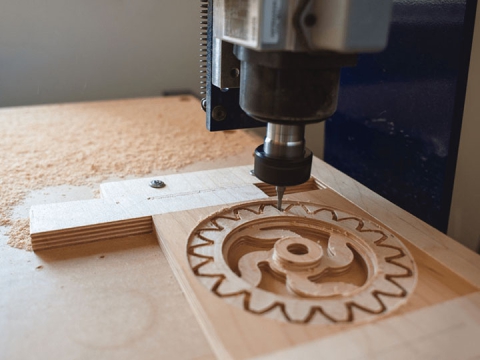
Many wood crafts are carved by CNC router in daily life, the carving technology is done by hand before, CNC router came into being soon, but the machine can only process the limited area of crafts, that is required by hand to complete the entire craft, and now manufacturers adopt rotary axis in the CNC table, it does not require manual processing work, because the rotary axis can calculate the direction of the object. Compared with the CNC machine before, it reduces the workload and strengthens the quality of the wood crafts, because the rotary axis can work in different levels, so the rotary CNC router machine can ensure the quality of carving crafts better than the CNC machine before.
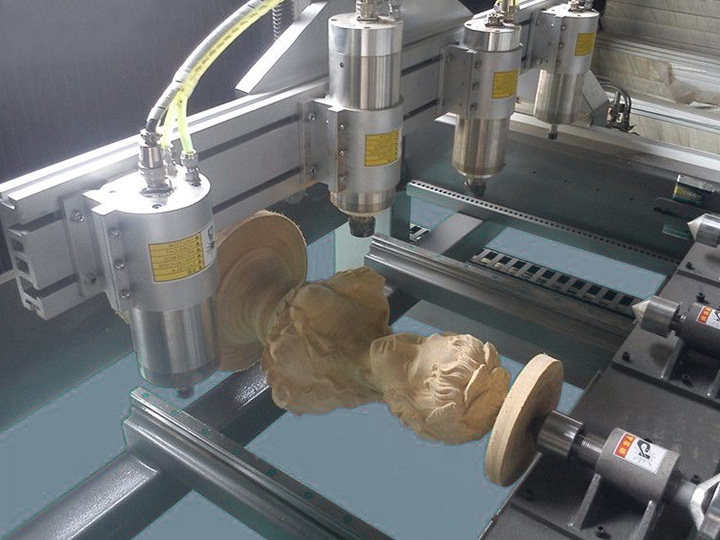
Rotary Axis CNC Router

In addition, Local rotary machining is realized, the size of the object is not limited, you can set their size, so the new CNC router machine is becoming more and more popular.
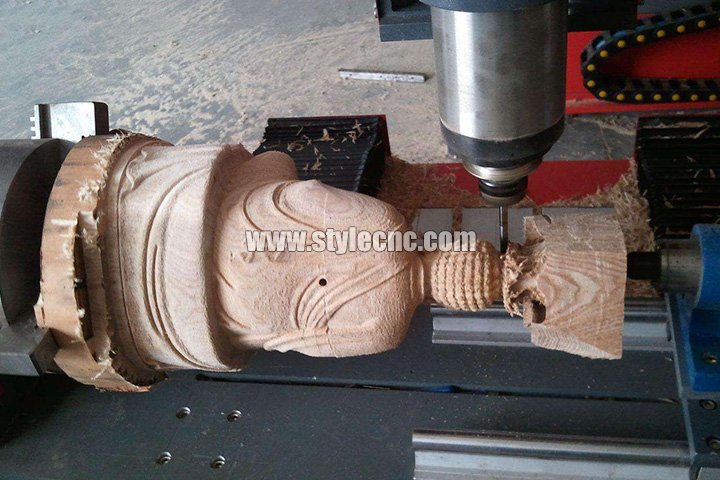
Rotary Axis CNC Router for Crafts

No matter what kind of CNC router machine, rotary axis is an important part of its work, if you do not understand the functions of the rotary attachment, this will have an impact on the use of the machine. STYLECNC will tell you the functions of the rotary axis for CNC router machine as following:
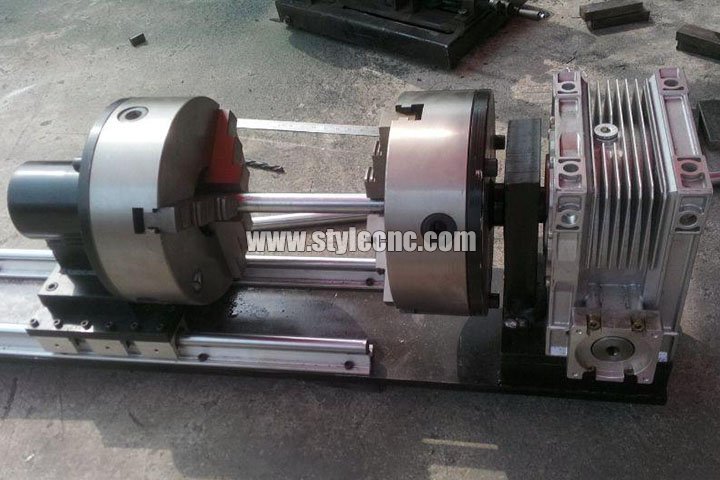
Rotary Axis

1. Detailed calculation of the path of the rotary carving, without expanding surface.

2. To avoid the repeated rotation of the workpiece, the tool path can be calculated at one time.

3. To reduce the machining allowance, the tool path can be processed in layers.

4. Rapid realization of local rotation of the workpiece processing, and can be set in the process of angle and length range.

5. The system will automatically generate a closed rotation carving processing path after the installation of rotary axis.

The five functions of rotary axis need to be understood in detail before using a rotary CNC router. This will improve the work efficiency and crafts quality.
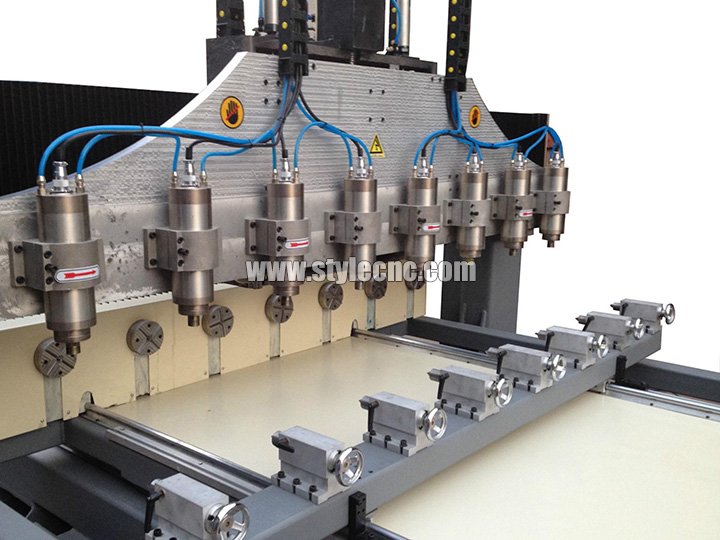
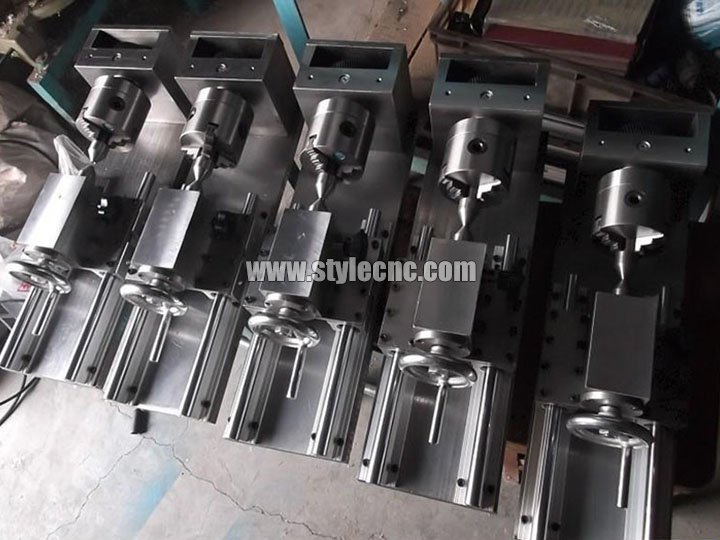
Multi-heads CNC Router with Rotary Axis for Crafts

Multi-heads CNC Router with Rotary Axis

Further Reading

What Is A CNC Router Used For?

2017-01-19Prev Post

CNC Router and CNC Machining Center Safe Working Practices

2017-03-15Next Post

Related Guidance

Which CNC Router is Best for Woodworking?
2024-03-187 Min Read

Which CNC Router is Best for Woodworking?

Looking for the best CNC router machine or table kits for 2D/3D woodworking? Find and explore STYLECNC picks of most popular CNC woodworking machines in 2024 for modern furniture making, cabinet making, door making, sign making, wood crafts and some custom woodworking projects.

A Guide to CNC Programming for Beginners & Programmers
2023-08-317 Min Read

A Guide to CNC Programming for Beginners & Programmers

In this article, you will understand what is CNC programming for beginners, how to use the best CAD/CAM software to create personalized programs for programmers in modern industrial CNC machining.

What Size Drill for 8-32 Tap? Tap Drill Size Chart
2026-06-125 Min Read

What Size Drill for 8-32 Tap? Tap Drill Size Chart

For an 8-32 tap, use a #29 drill bit. A #29 drill measures 0.1360 inch (3.45 mm), which is the correct tap drill size for 8-32 UNC internal threads at roughly 75% thread engagement. Drill the hole with a #29 bit first, then run the 8-32 tap to cut clean, usable threads.

What Software Do You Need to Create a DXF File?
2026-06-082 Min Read

What Software Do You Need to Create a DXF File?

To create a DXF file you need 2D CAD or vector design software that can export to the DXF format. The most common choices are AutoCAD, LibreCAD, QCAD, DraftSight, Fusion 360, Inkscape, and Adobe Illustrator. Free options like LibreCAD and Inkscape work well for hobbyists, while AutoCAD and Fusion 360 suit professional CNC, laser, and plasma cutting workflows. Once your design is complete, simply choose “Save As” or “Export” and select the .dxf file type.

How to Start a Custom Trophy and Awards Business with CNC and Lasers
2026-05-306 Min Read

How to Start a Custom Trophy and Awards Business with CNC and Lasers

A custom trophy and awards business generates $3,000 to $10,000 per month by serving schools, sports leagues, corporate clients, and event organizers. Startup costs range from $3,000 to $10,000 for a fiber laser marker or CO2 laser engraver, basic materials, and a simple online presence. Profit margins of 55 to 75% come from the gap between low material costs (acrylic, wood, glass blanks) and the high perceived value of personalized recognition products.

How to Control Cutting Quality & Accuracy for CNC Router?
2021-08-303 Min Read

How to Control Cutting Quality & Accuracy for CNC Router?

In this article we will discuss and explain how to control the cutting quality and accuracy for CNC router machine. You will learn how to right use it.

Post A Review

1 to 5-star rating

Share Your Thoughts And Feelings With Others

Click To Change Captcha