2x4 Desktop CNC Router Table for Sign Making in Norway
Are you looking for a desktop CNC router machine with 2x4 table size for sign making? Please review the 2x4 CNC router table (STG6012) in Norway, which will help you to choose the right machine for your CNC plans, ideas or projects.
The desktop CNC router machine is equipped with high quality ball screw and linear guide rails for X, Y, and Z axis, high precision water cooling spindle with less noise, Taiwan TBI ball screw for Z axis, Fuling inverter with more stable performance, power off and break point for continuing processing, Mach3 control system with humanized design, NcStudio and DSP offline for option, supporting Type3, Artcam, Ucancam, and all kinds of CAD/CAM software, high speed moving gantry, manual lubrication system, and cast iron structure for high precision.

The 2x4 CNC router table is suitable for wood, plywood, MDF, PVC, acrylic, plastic, rubber, ABS, ACP, double color sheet, organic glass, copper, aluminum, brass and other soft metals.
The desktop CNC router table is applied in sign making, moldeling, woodworking, advertising, arts and crafts manufacturing, decorations, metal fabrication and so on.
Share This Article With Others
Related Stories
2026-06-082 Min Read
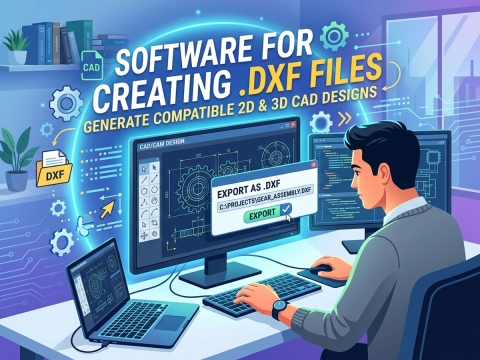
To create a DXF file you need 2D CAD or vector design software that can export to the DXF format. The most common choices are AutoCAD, LibreCAD, QCAD, DraftSight, Fusion 360, Inkscape, and Adobe Illustrator. Free options like LibreCAD and Inkscape work well for hobbyists, while AutoCAD and Fusion 360 suit professional CNC, laser, and plasma cutting workflows. Once your design is complete, simply choose “Save As” or “Export” and select the .dxf file type.
2019-10-292 Min Read
Generally speaking, CNC router table adjustment and correction operation has two kinds of debugging methods: manual debugging of and computer debugging.
2026-06-082 Min Read
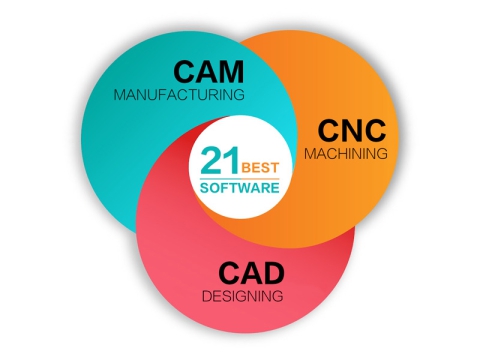
Looking for a free or paid CAD and CAM software for CNC machining based on Windows, macOS, Linux? Review this guide to find out the 21 best CAD/CAM software of 2026 for popular CNC machines, including AutoCAD, MasterCAM, PowerMill, ArtCAM, AlphaCAM, Fusion 360, SolidWorks, hyperMill, UG & NX, SolidCAM, Solid Edge, BobCAD, ScultpGL, K-3D, Antimony, Smoothie 3D, DraftSight, CATIA, CAMWorks, HSM, SprutCAM.
2026-09-097 Min Read
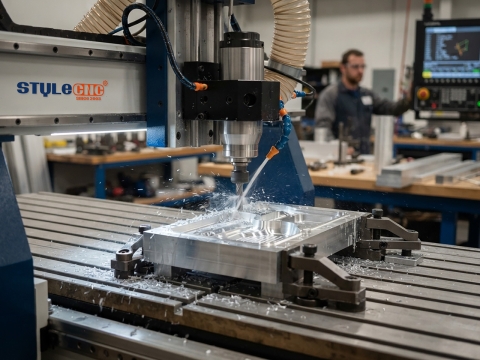
Find & buy the best CNC router machines of 2026 for 2D/3D aluminum parts machining, mold milling, relief sculpting, aluminum sheet, tube and profile cutting.
2026-03-193 Min Read
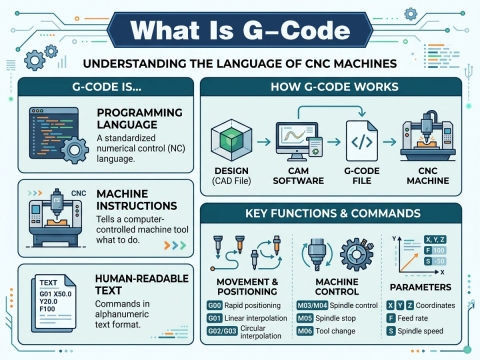
G-code is a type of easy-to-use preparatory computer numerical control programming language used in CAM software to control a CNC machine to work automatically.
2025-07-305 Min Read
In modern industrial manufacturing, more and more companies across a variety of industries are turning to fully automated CNC routers because they offer many advantages over traditional mechanical manufacturing tools, but while this brings benefits, it also comes with its own set of drawbacks. In this guide, we'll take a deep dive into the pros and cons of CNC routers.