
Intuitive operating interface, user-friendly and easy to use for beginners. I'm blown away by the performance of this small desktop CNC. I have built 12 relief carvings, turning out as well as expected. Overall, excellent value for money.
Hobby CNC Router Machines for Home Shop and Small Business
Last Updated: 2026-09-20 11:36:12
A hobby CNC router is a mini machine tool kit for hobbyists in home shop and small business. It cuts the parts through the tool path generated by the CAD/CAM software working with the computer and the designed patterns. A hobby CNC machine usually runs with a DSP controller, as well as a user friendly computer numerical controlled system. It has better software compatibility with ArtCAM, CastMate, Type3, UG and other 2D/3D design software. It is designed with desktop, tabletop, or bench top styles, which makes it portable and easy to move. It is used for making signs, logos, numbers, letters, arts, crafts, molds with wood, MDF, bamboo, plywood, acrylic, plastic, foam, aluminum, copper, and brass.
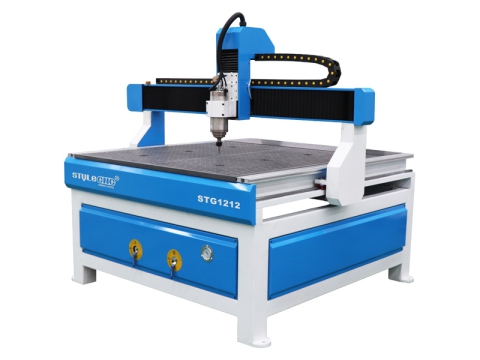
STG1212
4' x 4' (48" x 48", 1200mm x 1200mm)
$3,680 - $5,580
Low Cost 3 Axis 4x4 CNC Router Machine & Table Kit for Sale
Low cost 3-axis 4x4 CNC router machine & table kit is a small but powerful entry-level 4'x4' CNC machine at an affordable price for beginners to use as a hobby.
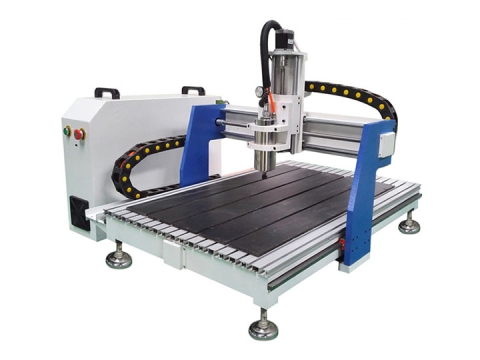
STG6090
2' x 3' (24" x 36", 600mm x 900mm)
$2,580 - $3,200
2026 Top Rated Mini Desktop CNC Router for Small Business
2026 top rated mini desktop CNC router is an affordable tabletop CNC machine kit with 2x3 table top for hobbyists, small business, home shop, and craftsman.
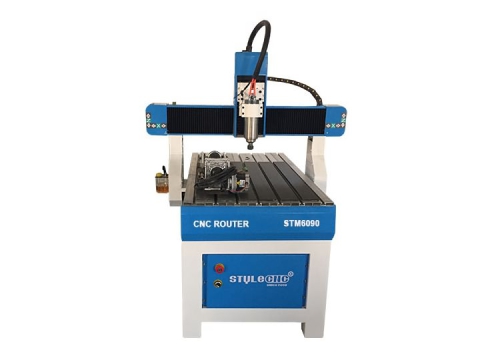
STM6090
2' x 3' (24" x 36", 600mm x 900mm)
$3,000 - $4,500
4th Rotary Axis Hobby CNC Router for Sign Making
4th rotary axis hobby CNC router for sign making is the best hobby CNC machine for custom signage or DIY signs with wood, MDF, plastic, foam, copper, aluminum.
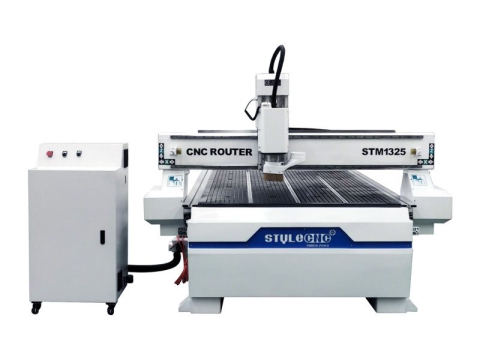
STM1325
4' x 8' (48" x 96", 1300mm x 2500mm)
$5,580 - $6,580
Affordable CNC Router for Sale with 4x8 Vacuum Table
Affordable 4x8 CNC router table STM1325 is an economical CNC machine with vacuum table for making furniture, decorations, crafts, signs, doors, and cabinets.
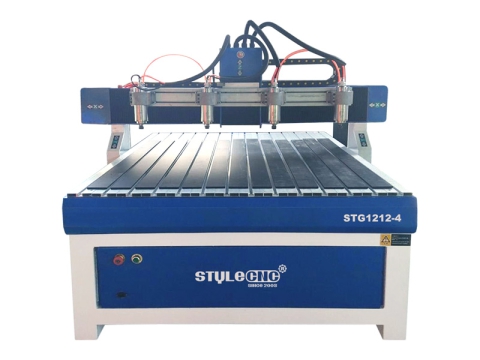
STG1212-4
4' x 4' (48" x 48", 1200mm x 1200mm)
$4,480 - $7,000
2026 Best 4x4 Hobby CNC Router Kit with Four Spindles
2026 best 4x4 hobby CNC router kit with four spindles is the best solution for cutting four parts at one time to save time and improve the efficiency.
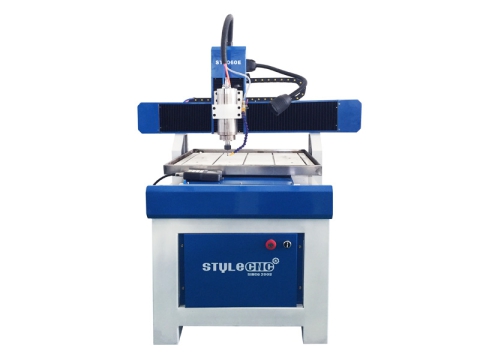
ST6060E
600mm x 600mm
$3,000 - $4,000
2026 Best Small Desktop CNC Milling Machine for Sale
2026 best desktop CNC milling machine is a beginner-friendly small computer-controlled mill for deep engraving aluminum, alloy, brass, copper, and soft metals.
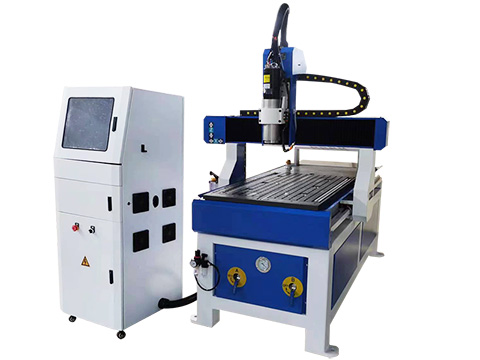
STM6090C1
600mm x900mm
$5,300 - $6,300
Small Desktop CNC Router with Tool Changer for Home Use
Desktop CNC router machine with ATC is a small hobby CNC machine tool kit with an automatic tool changer for 2D/3D machining in home shop and small business.
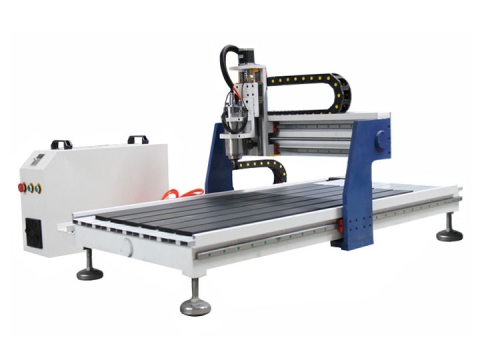
STG6012
2' x 4' (24" x 48", 600mm x 1200mm)
$2,780 - $3,600
Benchtop CNC Router Kit with 2x4 Table Size for Sale
Looking for a benchtop CNC router kit with 24x48 inches table for your business? Review the best 2x4 desktop CNC machine kit with 2D/3D machining capabilities.
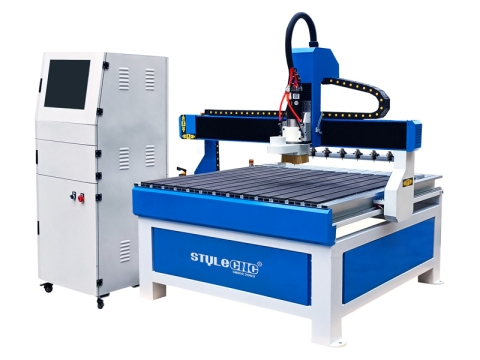
STG1212C
4' x 4' (48" x 48", 1200mm x 1200mm)
$5,500 - $6,500
4x4 CNC Router Table Kit with Tool Changer for Beginners
4x4 CNC router table kit with automatic tool changer for beginners is used to cut & mill wood, aluminum, foam, plastic, acrylic in small business and home shop.
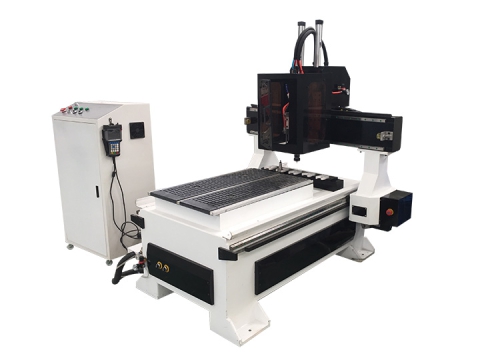
STM6090C
2' x 3' (24" x 36", 600mm x 900mm)
$5,200 - $6,500
Small CNC Router Machine with Automatic Tool Changer (ATC)
Small CNC router with ATC (Automatic Tool Changer) & 2x3 table size is an entry-level CNC machine with compact design & multi-tool switching for small projects.
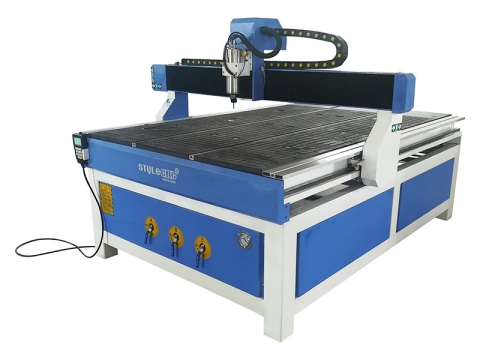
STG1218
4' x 6' (48" x 72", 1200mm x 1800mm)
$3,800 - $5,800
Budget-Friendly Hobby CNC Router Machine with 4x6 Table Kit
STG1218 CNC router machine is a budget-friendly hobby CNC kit for beginners with 4x6 table size, handheld DSP controller, stepper motor, water-cooled spindle.
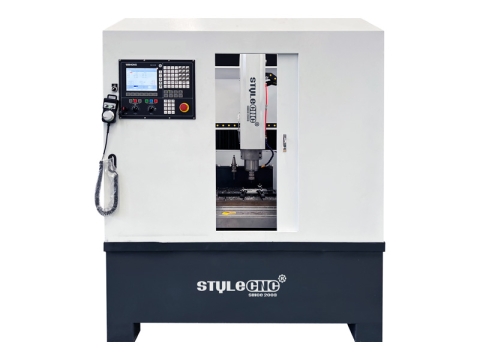
STM6060
600mm x 600mm
$5,500 - $18,500
Enclosed 2x2 CNC Router Table Kit with Tool Changer for Beginners
Enclosed 2x2 CNC Router Table with full safety cover, low noise & dust-proof, for wood cutting and relief carving in small business and home shop.
- Showing 12 Items On 1 Page
Buying Your First Small CNC Machine for Hobby Use
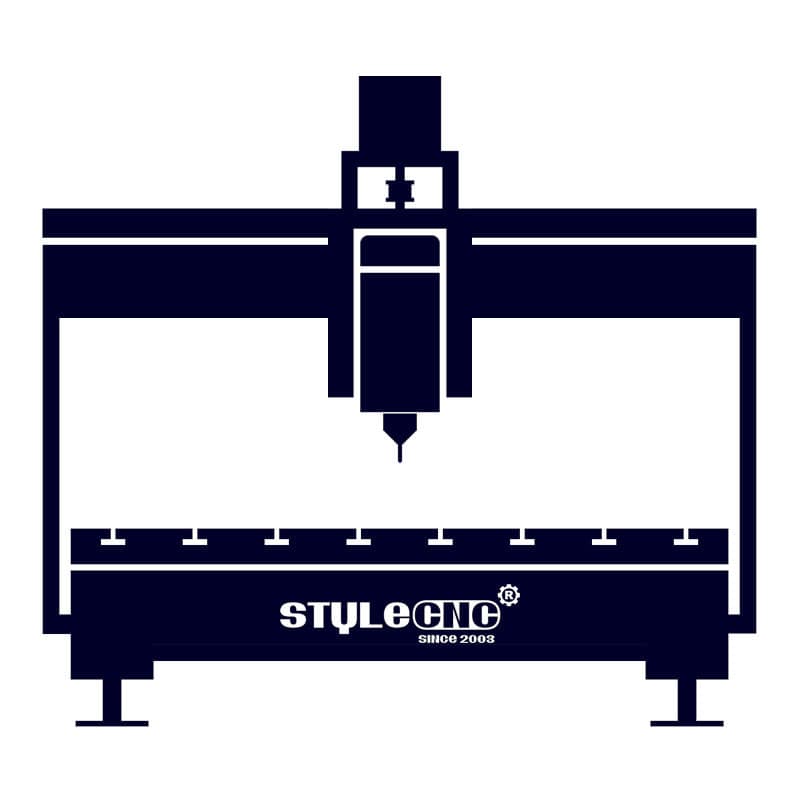
If you've ever enjoyed your time creating an awesome wood craft with a small CNC machine, investing in a hobby CNC router could be for you. In addition to arts and crafts, hobby CNCs can make customized signs, logos, gifts, molds, models, and even PCBs.
For those of you looking to start your own business, it's a very lucrative side business or full-time operation. It's an attractive option for both starters and professionals. Other than its surprising profitability, a small CNC is pretty versatile. It can be a great DIY tool, a low startup-cost business, or a worth trying way to expand your commercial manufacturing.
In addition, the small CNC router is also a hobby tool DIYer and a teaching and training tool used in schools. No matter what role you are, it always walks through your life as if you have something new to learn.
Ready to get your own small CNC machine for hobby use or commercial use? Here's what you need to know before buying.
Definition
Hobby CNC router is a type of small CNC machine for hobbyists with mini table size controlled by computer or DSP controller. It is a smart machine tool that automatically calculates the tool path through a computer and the designed patterns on the object. Its principle is to use CAD/CAM software to design and typeset on the computer, and complete the design of the pattern to be cut in the CAD software. Next, choose the router bit, and automatically calculate the tool path (the tool path calculated by the CNC programming software according to the selected bit), then output the tool path file, and import it into the CNC controller. At last, run the simulation, after confirming that it is correct, then dirve the machine starting to run through the controller.
Types
There are six types of hobby CNC machines: small types, mini types, desktop types, benchtop types, tabletop types, portable types.
Features
• It adopts the linear guide rail specially used for automatic computer-controlled machine tools, the slide block is pre-tightened, with good rigidity and no gap.
• Synchronous anti-interference design of software and hardware, high performance, industrial PC motherboard, to ensure the reliable operation of the system. Advanced three-dimensional intelligent prediction algorithms ensure the high-speed operation and high precision of curves and straight lines.
• Good software compatibility, compatible with type3, Artcam, Castmate, UG and other CAD and CAM design and production software.
• It has the function of breakpoint and continuous routing after power failure, correcting the error code file in time, and automatic error correction when returning to the origin.
• The whole machine adopts casting structure, strong rigidity, no deformation, double nut anti-backlash screw rod and guide rail to ensure high-speed operation and high precision.
• The high-power micro-step driver makes the engraving more precise and stable; the high-frequency water-cooled spindle motor and the interchangeable spindle design enable carving, milling and cutting.
• Fully automatic numerical control system, easy to upgrade and expand, large-screen display, easier operation, simpler maintenance, and more user-friendly design.
Applications
Hobby CNC routers are commonly used in small business, small shop, home business, home shop, craftsman, hobbyist, advertising, woodworking, signs, logos, letters, numbers, arts, crafts, building models, emblem, badge, display panels, furniture, and decorations.
Woodworking
Wooden door and furniture, windows, tables, chairs, cabinets, panels, 3D wave plate, MDF, computer desk, musical instruments.
Advertising
Billboard, logo, sign, 3D characters cutting, acrylic cutting, LED/Neon channel, literal-hole cut, lightbox mold, stamp, mould.
Die Industry
Copper sculpture, aluminum engrave, metal molds, plastic sheeting, PVC.
Decorations
Acrylic, density board, artificial stone, organic glass, soft metals like aluminum and copper.
School Education
Specifications
| Brand | STYLECNC |
| Types | Mini, Small, Tabletop, Benchtop, Desktop, Portable |
| Axis | 3 Axis, 4th Axis (Rotary Axis), 4 Axis, 5 Axis |
| Materials | Wood, Stone, Foam, Acrylic, Plastic, Metal, PVC, ACM, MDF |
| Capability | 2D Machining, 2.5D Machining, 3D Machining |
| Price Range | $2,480.00 - $20,000.00 |
Pricing Guide
The majority of the costs to purchase a hobby CNC router come from the hardware (parts and accessories) and CAD/CAM software (some are free). With as little as an around $2,800 investment, you can generally get a basic small CNC machine up and running. Many DIYers recommend buying used or refurbished kits, which you can find between $800 and $2,200. A new hobby CNC machine will cost anywhere from $2,480 to $20,000, depending on its features, styles and table sizes.
Besides the machine itself, you'll also want to consider the cost of shipping your machines. Depending on the size, weight, and where you are going to ship the machine, this could span a few hundred to thousands of dollars.
Pick Up Your Budget
| Models | Minimum Price | Maximum Price | Average Price |
| STG4040 | $2,480.00 | $3,000.00 | $2,580.00 |
| ST6060E | $3,500.00 | $4,500.00 | $3,800.00 |
| STG6090 | $2,580.00 | $3,200.00 | $2,780.00 |
| STM6090 | $2,800.00 | $3,500.00 | $3,000.00 |
| STM6090C | $6,000.00 | $20,000.00 | $8,200.00 |
| STG1212 | $3,680.00 | $4,500.00 | $3,890.00 |
| STG1212-4 | $4,480.00 | $7,000.00 | $4,800.00 |
| STG1218 | $3,820.00 | $4,800.00 | $4,020.00 |
| STG1224 | $3,980.00 | $5,000.00 | $4,180.00 |
Pros & Cons
In fact, many of the wooden handicrafts, artworks, decorations, and advertising signs that are often seen in daily life are done with a hobby CNC. Compared with manual cutting, it is faster and the cuts are more exquisite, so what are its advantages?
• Less cost input and quick results. Sculpture is a job that requires a lot of patience, so the wages of master sculptors are relatively high. If a factory hires master sculptors, there must be at least dozens of master sculptors, and the wages are not small. Although the price of an automatic computer-controlled machine tool is relatively expensive, the production efficiency is high, and the cost can be recovered quickly.
• The cutting speed is fast. It takes a long time to cut a project by hand. If it is computer numerical controlled machining, it may be completed in a few minutes, which greatly shortens the required cutting time. From the perspective of cost estimation, time actually means money and benefits.
• Solve the shortage of artificial engravers who require extremely high patience and perseverance. Today's young people are less interested in this industry, resulting in fewer talents in this industry, and there is a shortage of artificial engravers in the market.
• Computer-controlled machining has good effect and high efficiency. Compared with manual cutting, it saves time, labor and high efficiency, and is favored by consumers.
Safety Guide
The hobby CNC machine should pay attention to its operation method. The correct operation method can not only make the machine run normally and avoid damage, but also ensure the operator's safety.
Safety precautions for operation:
⚠️ After setting the machining start position, you must zero out the workpiece coordinates for the X, Y, and Z axes.
⚠️ Adjust the machining speed and spindle speed to prevent tool breakage caused by speeds that are too high or too low.
⚠️ During the automatic tool-setting process, ensure there is electrical insulation between the tool-setting block and the small CNC machine.
⚠️ When starting a job, if you are unsure about the initial cut, reduce the feed rate; once you confirm that machining is proceeding correctly, return to the normal speed. You can also perform a test run (dry run) in an empty area to verify proper operation.
⚠️ If the machine remains idle for an extended period, perform lubrication and run the machine without a load once a week to maintain the flexibility of the drive system.
⚠️ Daily continuous operation should not exceed 10 hours. To ensure clean cooling water and proper pump function, never operate the water-cooled spindle motor without water; change the cooling water regularly to prevent overheating, and consider using a large-capacity tank to increase the volume of circulating water.
⚠️ Clean the machine after every use by removing dust from the worktable and drive system, and regularly lubricate the X, Y, and Z axis drive systems.
⚠️ Operators are advised to wear dust masks and safety goggles when using the CNC machine to protect against discomfort caused by dust or other particles generated during machining.
⚠️ Install an appropriate dust extraction system on the machine and select suitable dust collection equipment.
Installation and Operation
Step 1: Machine Setup
Warning: All operations must be performed with the power disconnected.
☑ Connect the main machine unit to the control box.
☑ Connect the control data cable from the main machine unit to the control box.
☑ Connect the power plug from the main machine unit to a standard 220V (or 380V) power supply.
☑ Connect the control box to the computer: plug one end of the data cable into the control box's data signal input port and the other end into the computer.
☑ Connect the power cord: plug one end into the control box power interface and the other end into a standard 220V power outlet.
☑ Mount the router bit to the lower end of the spindle using a spring collet. To install the tool, insert a spring collet of the appropriate size into the spindle's tapered bore, place the tool into the collet's center hole, and tighten the spindle nut by turning the large wrench counter-clockwise to secure the tool.
Step 2: Operation Workflow
☑ Arrange the layout according to customer and design requirements, calculate the machining paths correctly, and save the path files corresponding to the different tools (it is recommended to save them as separate files).
☑ After verifying the paths, open the path file in the engraving machine's control system (a preview is available).
☑ Secure the workpiece and set the machining origin. Start the spindle motor and adjust it to the appropriate rotational speed.
☑ Connect the power supply and operate the machine.
Step 3: Startup
☑ Turn on the power switch; the power indicator light will turn on. The computer-controlled machine will first perform a reset and self-test operation, homing the X, Y, and Z axes before moving to the initial standby position (the machine's initial origin).
☑ Use the handheld controller to adjust the X, Y, and Z axes to the machining start point (machining origin). Set the appropriate spindle speed and feed rate to place the machine in standby mode.
Step 4: Machining
☑ Edit the file to be engraved.
☑ Open the file transfer function and send the file to the CNC router machine to automatically execute the engraving task.
Step 5: Completion
☑ Upon completion of machining, the machine will automatically lift the tool and move to a position directly above the machining start point.
Troubleshooting
⛔ Alarm Faults
An "Overtravel" alarm indicates the machine has reached its limit position during operation. Please check the following:
🛠️ Verify if the designed graphic dimensions exceed the machining range.
🛠️ Check the connection between the motor shaft and the lead screw; tighten the screws if any looseness is found.
🛠️ Ensure both the machine and the computer are properly grounded.
🛠️ Check if the current coordinate values exceed the software-defined limits.
⛔ Overtravel Alarm and Reset
When an overtravel event occurs, all motion axes automatically switch to "Jog" (manual) mode. Simply press and hold the manual direction key to move the machine away from the limit position (clearing the overtravel limit switch), and normal operation can be resumed.
🛠️ Pay attention to the direction of movement when moving the worktable to ensure it moves away from the limit position.
🛠️ Software limit alarms require clearing the limit status for the X, Y, and Z axes within the coordinate settings.
⛔ Non-Alarm Faults
🛠️ Insufficient repeatability accuracy; please refer to the second point under the first section for checks.
🛠️ If the computer is running but the machine does not move, check the connection between the computer control card and the electrical control box; if loose, reconnect firmly and tighten the fixing screws.
🛠️ Unable to detect a signal when returning to the machine origin; please refer to point 2 for checks.
🛠️ Proximity switch failure at the mechanical origin.
⛔ Output Faults
🛠️ If there is no output, check the connection between the computer and the control box.
🛠️ Check if the storage space in the machining manager settings is full and delete unused files.
🛠️ Check wiring connections to ensure signal lines are not loose.
⛔ Machining Faults
🛠️ Check for loose screws on any components.
🛠️ Verify that the custom machining path is correct.
🛠️ Check if the file size is too large, causing computer processing errors.
🛠️ Adjust the spindle speed to suit the material (typically 8,000–24,000 RPM).
🛠️ Loosen the tool collet, rotate the tool in one direction, and clamp it securely; ensure the tool is installed vertically to avoid an uneven engraved surface.
🛠️ Check the router bit for damage; if damaged, replace it with a new one and restart the carving process.
Size It to Your Space
Hobby machines are bought for homes, garages, and spare rooms, so the room decides as much as the budget. A 2x3 desktop router sits on a bench and handles signs, crafts, and molds, while a 2x4 benchtop kit suits longer panels along a wall. Step up to a 4x4 floor-standing kit and you need real floor space plus clearance on every side for loading and cleaning. Whatever the size, the bench matters: these machines are heavy and they vibrate, so a flimsy table costs accuracy no specification can win back.
Work Within the Machine's Limits
A small router does most of what a big one does, just more patiently. Light frames and modest spindles prefer shallow passes: take several light cuts rather than one deep one, especially in hardwood or aluminum, and both the finish and the tool life improve. Duty cycle counts too, and running much beyond ten hours a day is asking a lot of a hobby-class machine, so schedule breaks and keep spindle cooling water clean and full. Respecting those limits is what separates a machine that lasts years from one that disappoints in months.
Holding Small Parts Down
Small work is harder to hold than big work, because clamps sit exactly where the cutter wants to go. The workshop answer is painter's tape on both the part and the spoilboard with a bead of superglue between them, which holds surprisingly hard and peels off cleanly. A dedicated fixture board with locating pins pays for itself when you cut the same part repeatedly, and a four-spindle kit multiplies that batch further by cutting several copies at once. Whatever you use, make sure nothing clamps into the toolpath.
Matching size to your space:
| Table Size | Where It Lives | Suits |
|---|---|---|
| 2x3 desktop | A sturdy bench or table | Signs, crafts, gifts, molds |
| 2x4 benchtop | A long bench along a wall | Longer signs and panels |
| 4x4 floor kit | Garage or small shop floor | Half sheets, small furniture |
| 4x6 and up | A dedicated workshop | Near full-sheet work |
Home shop checklist:
✔ Measure the bench before you measure the machine.
✔ Leave room to walk around all four sides.
✔ Take shallow passes instead of forcing depth.
✔ Tape and glue small parts to the spoilboard.
✔ Keep the spindle coolant clean and topped up.
Frequently Asked Questions
What power supply do these machines need?
Most hobby kits run on ordinary single-phase 220V, which is why they suit home workshops. Confirm the voltage for your country when ordering, since the wiring is set at the factory rather than changed later.
Which size should a beginner start with?
Pick the smallest machine that fits the parts you actually plan to make. A 2x3 or 2x4 covers signs and crafts, while a 4x4 floor kit makes sense if half sheets and small furniture are the goal.
Is a tool changer worth it on a small machine?
It is, if your jobs use several bits. A desktop machine with ATC removes the stop-and-swap routine, though a manual collet change is perfectly workable when most jobs run on one or two cutters.
Can a hobby router really cut metal?
Soft metals like aluminum, brass, and copper, yes, with sharp cutters, slow feeds, and very shallow passes. Steel is out of reach for this class, and a dedicated small mill is the better tool for regular metalwork.
Water-cooled or air-cooled spindle?
Water cooling runs quieter and stays cooler on long jobs, which is why most hobby kits use it, but it needs a clean, full water loop. Air cooling is simpler to maintain and noisier, and suits shorter sessions.
How noisy are these machines at home?
Loud enough that neighbors notice, since the cutting itself and the dust extraction both make noise. Keep the machine off a shared wall, run it at reasonable hours, and wear hearing protection during long cuts.
Customer Reviews and Testimonials
Don't just take our own words for granted. Hear what our customers are saying. What better proof than reviews and testimonials from our real customers? Feedback from our clients allows more people to build trust with us, which drives us to continue to innovate and grow.