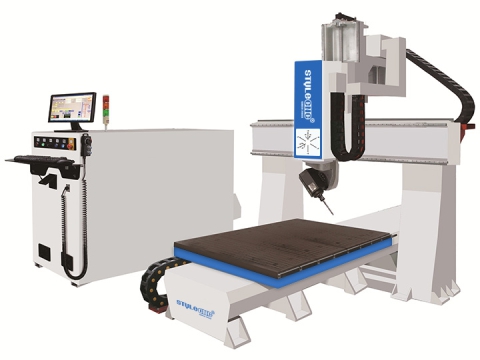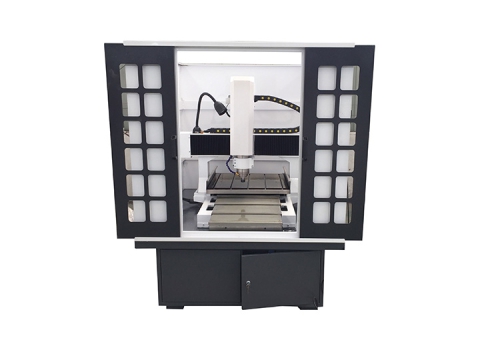
CNC Router for Home Door Making Projects
A CNC router can be used for door making with caving, cutting, drilling and grooving, STYLECNC will show you some home door making projects as reference.
Looking for 3D DXF files and 3D STL files for your CNC routing ideas, review the free 3D CNC router files for beginners with relief carving to fit your CNC projects. You will get the best ideas to buy a CNC machine.








Starting your CNC routing journey requires more than just purchasing the right machine. Access to quality design files determines whether your first projects become stunning successes or frustrating failures. Free 3D CNC router files provide beginners with professionally designed patterns that teach fundamental techniques while producing impressive results from day one.
Understanding file formats, locating reliable sources, and matching designs to your machine capabilities creates the foundation for CNC success. Whether you own a hobby CNC router or operate industrial equipment, mastering file selection accelerates your learning curve dramatically.
CNC routers interpret design files through specific formats, each serving distinct purposes in your workflow.
DXF files contain 2D vector data that CNC software translates into cutting paths. These files excel for profile cutting, engraving text, and creating flat decorative elements. Most CNC wood routers process DXF files efficiently for sign making, inlay work, and component cutting.
STL files store 3D surface geometry through triangulated mesh data. Relief carvings, sculptural elements, and decorative mouldings require STL format for proper depth interpretation. A 3D CNC router machine transforms these files into multi-axis toolpaths that carve dimensional artwork.
Vector files scale infinitely without quality loss, making them ideal for resizing projects. Bitmap images require conversion before CNC processing, often introducing artifacts that affect carving quality. Beginners should prioritize vector-based DXF and STL files over bitmap alternatives.
Downloadable CNC files span numerous categories suited for different skill levels and applications.
• Floral patterns and botanical designs.
• Angel and religious motifs.
• Architectural ornaments and rosettes.
• Mirror and picture frame designs.
• Decorative wood appliqués.
• Storage box designs with interlocking joints.
• Phone stands and tablet holders.
• Desk organizers and pencil cups.
• Coaster sets with custom patterns.
• Wall-mounted shelving brackets.
• Address plaques and house numbers.
• Business logos and branding elements.
• Directional and wayfinding signs.
• Memorial markers and commemorative pieces.
Selecting appropriate files requires understanding your machine specifications and limitations.
File dimensions must fit within your router's cutting envelope. A 4x8 foot machine handles large signs and furniture components, while desktop units suit smaller decorative items. Scale files appropriately using CNC software before generating toolpaths.
Intricate relief carvings demand adequate spindle power for continuous material removal. Underpowered spindles stall during deep cuts, potentially damaging workpieces and tooling. Match file complexity to your machine's power rating for consistent results.
Standard 3-axis routers handle most free files designed for flat stock. Complex sculptures and wraparound carvings require 4-axis CNC router machines or higher for proper execution. Verify axis requirements before downloading advanced designs.
Raw design files rarely work directly from download. Proper preparation ensures successful machining outcomes.
Import downloaded files into CAM software and inspect for geometry errors. Open vectors, overlapping elements, and inverted normals cause toolpath generation failures. Most software includes repair functions that automatically correct common issues.
Resize designs to match your workpiece dimensions and stock thickness. Position elements strategically to minimize material waste and optimize grain orientation for wood projects. Consider CNC router bits and accessories requirements when planning cut depths.
Select appropriate cutting strategies based on file type and desired finish quality. Roughing passes remove bulk material quickly, while finishing passes create smooth surfaces. Ball nose end mills excel for 3D relief work, whereas flat end mills suit 2D profile cutting.
Following established practices prevents costly mistakes and accelerates skill development.
Begin with basic 2D cutting projects before attempting complex 3D reliefs. Simple shapes teach machine operation, feed rates, and depth settings without overwhelming complexity. Progress gradually as confidence builds.
Softwoods like pine and poplar forgive minor errors during learning phases. Hardwoods and exotic species punish mistakes with broken bits and ruined stock. Save premium materials for refined techniques.
Run new files on scrap material before committing expensive stock. Test cuts reveal toolpath errors, inappropriate speeds, and unexpected file issues. This practice saves materials and identifies problems early.
Record successful cutting parameters for future reference. Feed rates, spindle speeds, step-over percentages, and depth-per-pass settings create recipes for repeatable success across similar projects.
Systematic organization transforms random downloads into valuable production resources.
Organize files into logical folders matching your typical projects. Separating signs from furniture components from decorative items enables quick file location when production demands arise.
Document which files require specific capabilities. Flagging designs that need ATC CNC routers or multi-axis machines prevents frustration when deadlines approach.
Maintain original downloads separately from modified versions. Tracking changes enables reverting to source files when modifications create problems.
Free files establish fundamental skills, but custom design capabilities unlock unlimited creative potential. Learning CAD software enables original creations tailored precisely to client requirements and personal vision. Many professionals combine free file elements with custom designs, maximizing efficiency while maintaining uniqueness.
STYLECNC provides comprehensive CNC router machines suited for beginners through industrial operators. Our technical support team assists customers in selecting appropriate equipment for their project requirements and skill levels.
CNC routers primarily use DXF files for 2D cutting operations and STL files for 3D relief carving. Additional formats include SVG, AI, and EPS for vector work, plus various proprietary CAM formats. Most CNC software converts between formats, though native DXF and STL provide the broadest compatibility across different machines and control systems.
License terms vary significantly between file sources. Some creators release files under Creative Commons licenses permitting commercial use, while others restrict usage to personal projects only. Always review license agreements before selling products made from downloaded files. When uncertain, contact file creators directly for clarification on commercial permissions.
Vector-based DXF and STL files scale without quality degradation because they contain mathematical descriptions rather than pixel data. Import files into CAM software and adjust dimensions uniformly to maintain proportions. Avoid excessive enlargement of STL files with low polygon counts, as visible faceting may appear on carved surfaces.
Beginner requirements depend on intended projects. Desktop machines with 12x12 inch capacity handle small crafts and learning exercises adequately. Serious hobbyists benefit from 2x4 foot machines accommodating furniture components and medium signs. Commercial aspirations typically require 4x8 foot or larger machines for production efficiency.
Common causes include open vectors, self-intersecting geometry, inverted surface normals, and incompatible file versions. CAM software usually identifies specific errors during import. Use repair functions to close gaps, merge duplicate points, and correct normal directions. Severely corrupted files may require manual reconstruction in CAD software.
Relief depth depends on design complexity, material thickness, and visual requirements. Shallow reliefs between 3mm to 6mm suit delicate decorative elements. Deeper carvings from 12mm to 25mm create dramatic shadows for bold architectural pieces. Always leave adequate material thickness beneath the deepest cuts for structural integrity.
MDF provides consistent density ideal for learning 3D carving techniques. Softwoods including pine, poplar, and basswood offer natural grain patterns with forgiving cutting characteristics. Hardwoods like oak, maple, and walnut produce premium results but require refined techniques and appropriate tooling. HDU foam enables large sculptural projects with minimal tool wear.
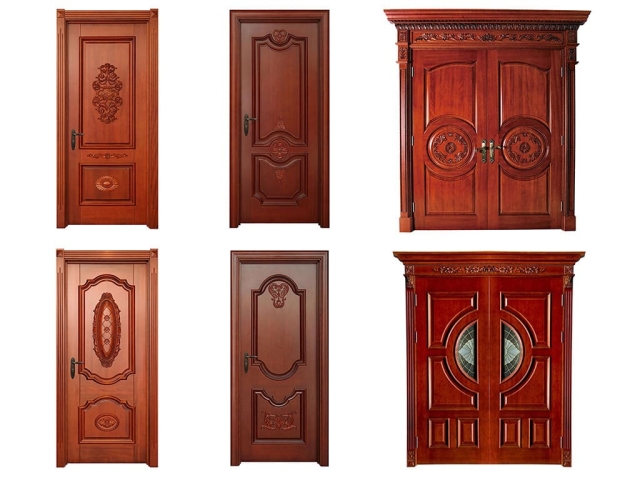
A CNC router can be used for door making with caving, cutting, drilling and grooving, STYLECNC will show you some home door making projects as reference.
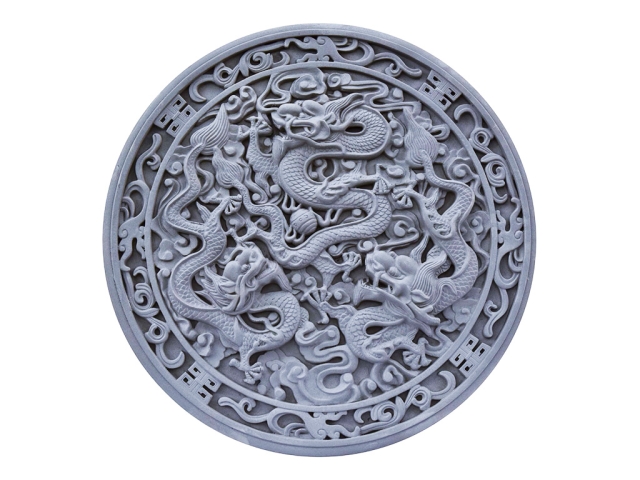
Stone CNC router is used for relief carving text and graphics on murals, marble, granite, tombstone, milestones, blue stone, sandstone, tile, and more stones.
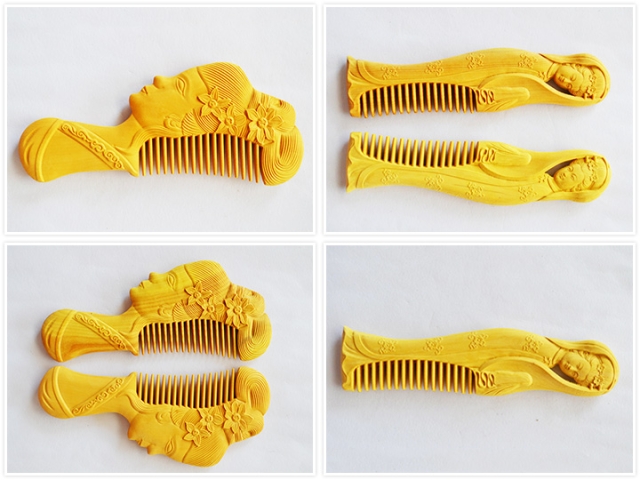
Chinese boxwood crafts CNC router is suitable for wood crafts, wood arts, wood gifts, wooden combs, wooden boxes, wooden signs, and wooden furniture.